Porkbun
Add Domain to Resend
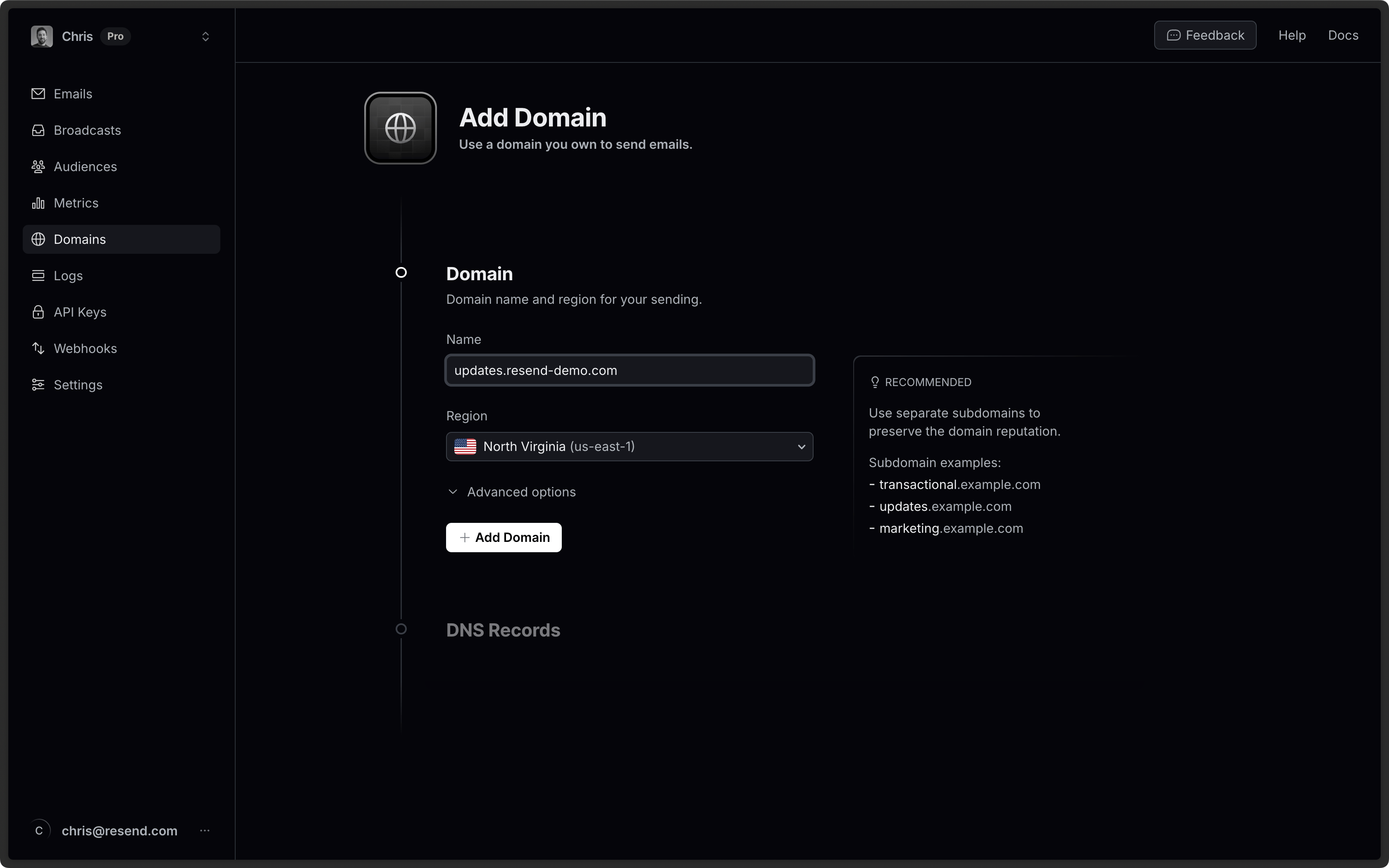
Section titled “Add Domain to Resend”First, log in to your Resend Account and add a domain.
Log in to Porkbun
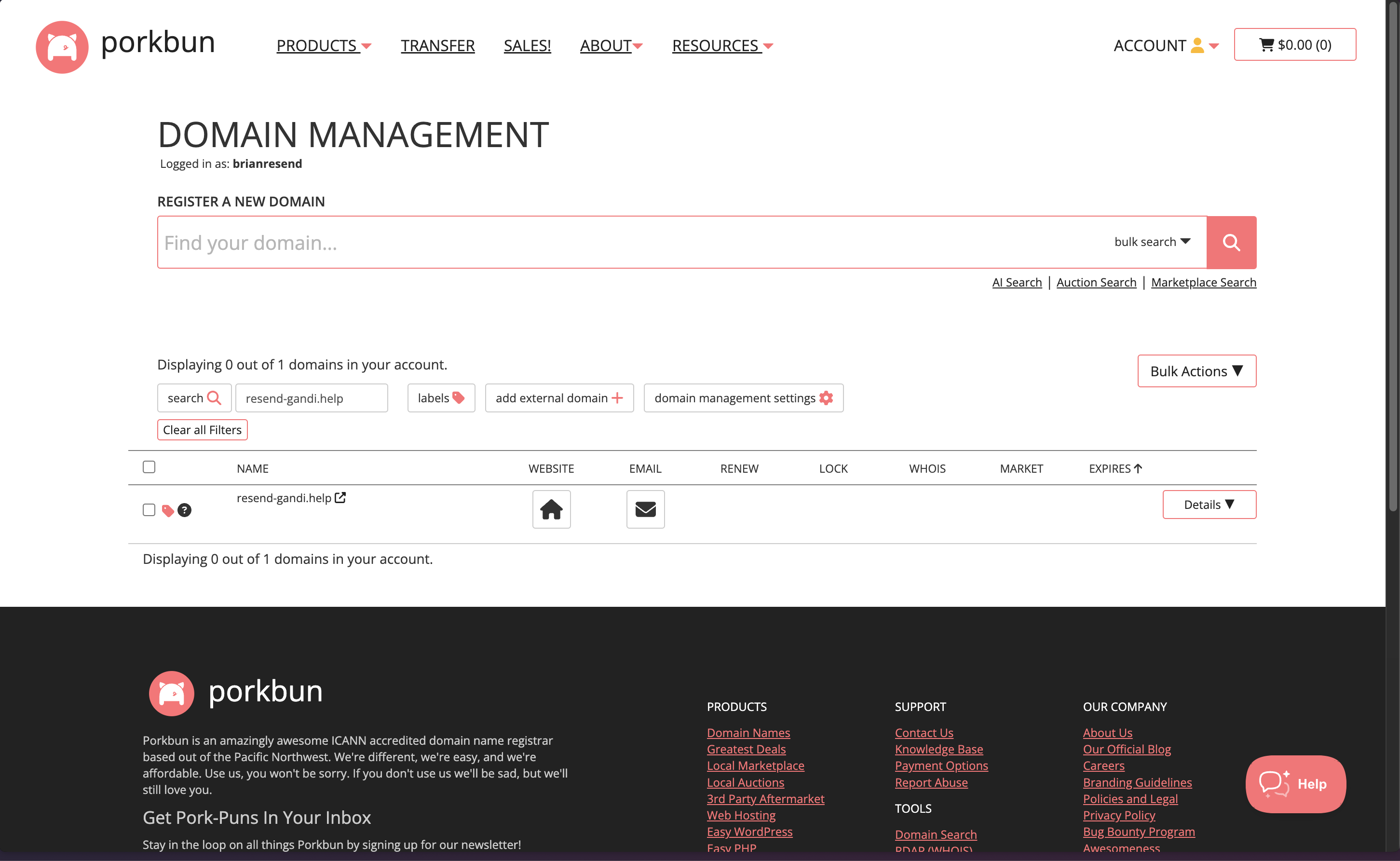
Section titled “Log in to Porkbun”Log in to your Porkbun account:
- Select the
DNSoption under your domain to manage DNS records.
Add MX SPF Record
Section titled “Add MX SPF Record”In the DNS section on Porkbun copy and paste the values MX from Resend:
- On the
Typepage, chooseMX. - Type
sendfor theHostof the record. - Copy the MX Value from Resend into the
Answer / Valuefield. - Use the default TTL of
600. - In the
Priorityfield enter10. - Select
Add.
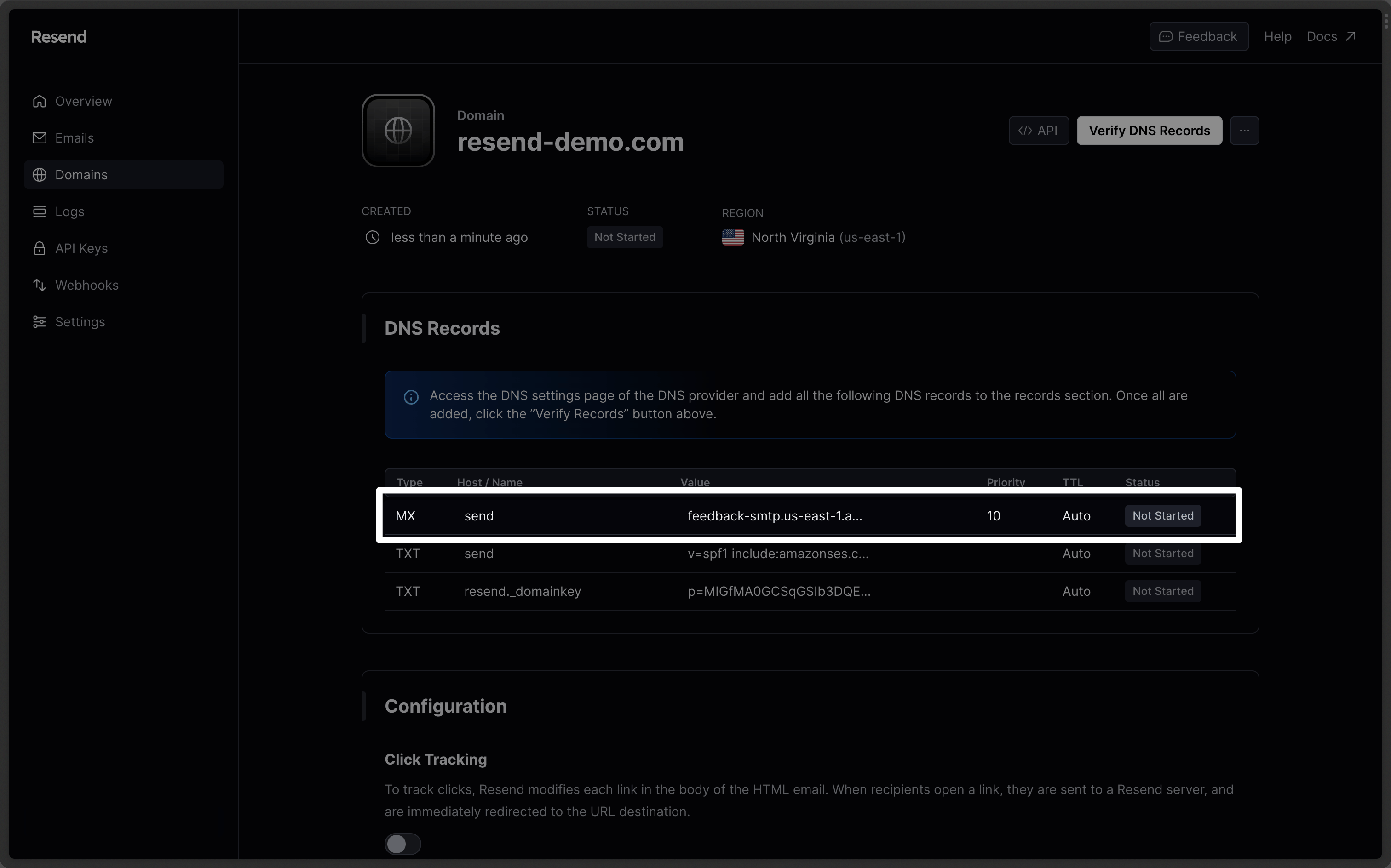
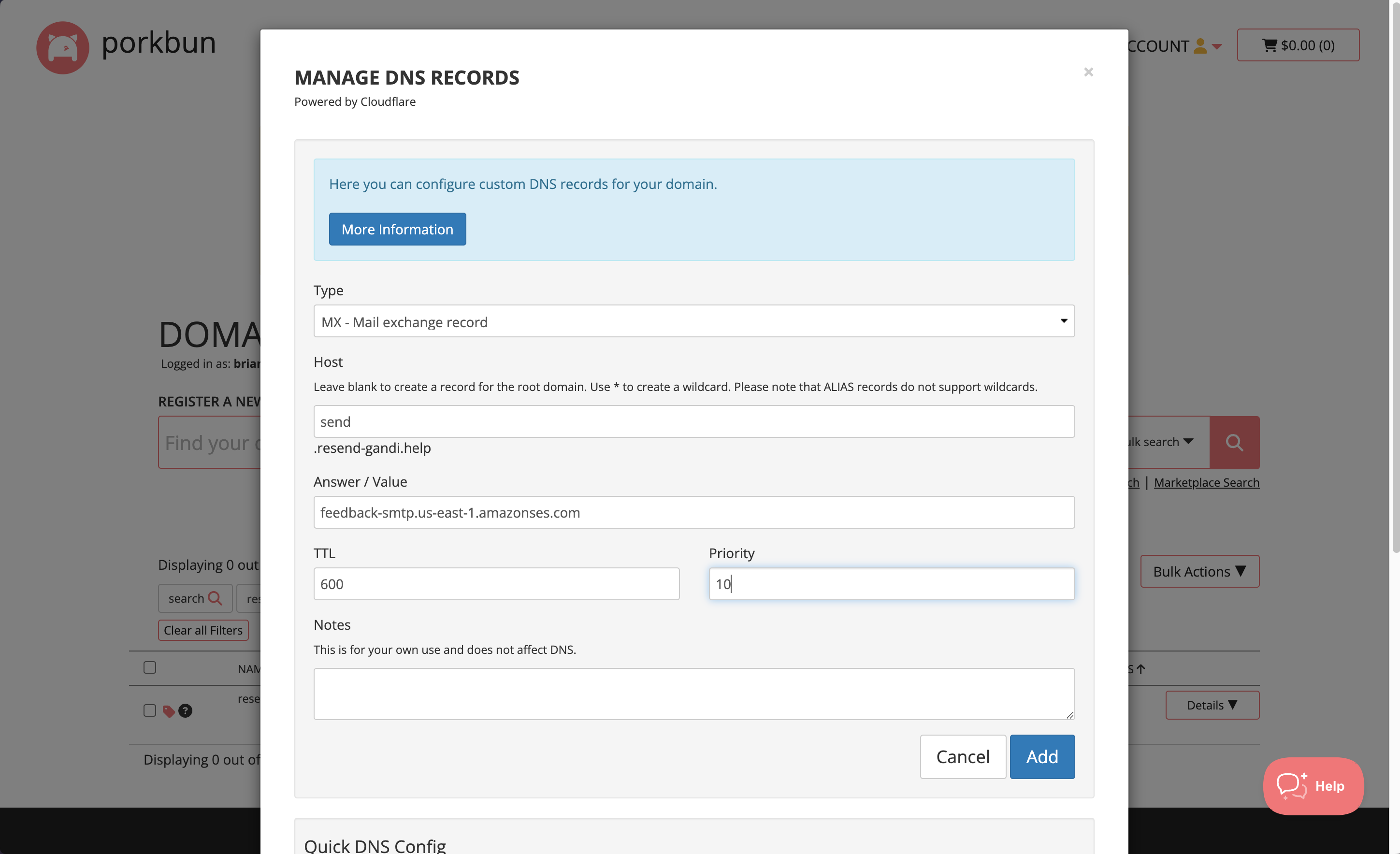
Below is a mapping of the record fields from Resend to Porkbun:
| Porkbun | Resend | Example Value |
|---|---|---|
| Type | Type | MX Record |
| Host | Name | send |
| Answer / Value | Content | feedback-smtp.us-east-1.amazonses.com |
| TTL | TTL | 600 |
| Priority | Priority | 10 |
Add TXT SPF Record
Section titled “Add TXT SPF Record”On the same section:
- On the
Typepage, chooseTXT. - Type
sendfor theHostof the record. - Copy the TXT Value Resend into the
Answer / Valuefield. - Use the default TTL of
600. - Select
Add Record.
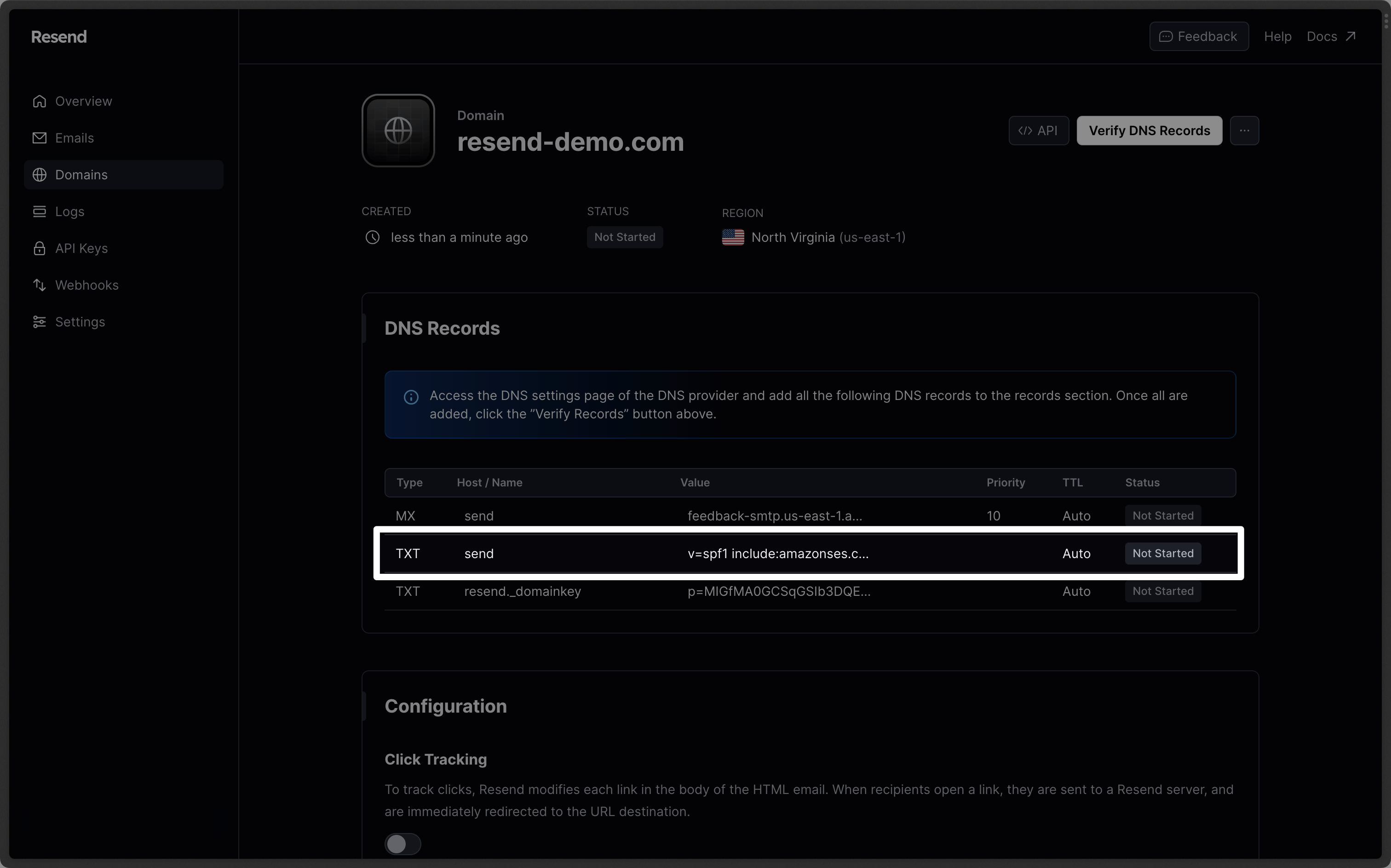
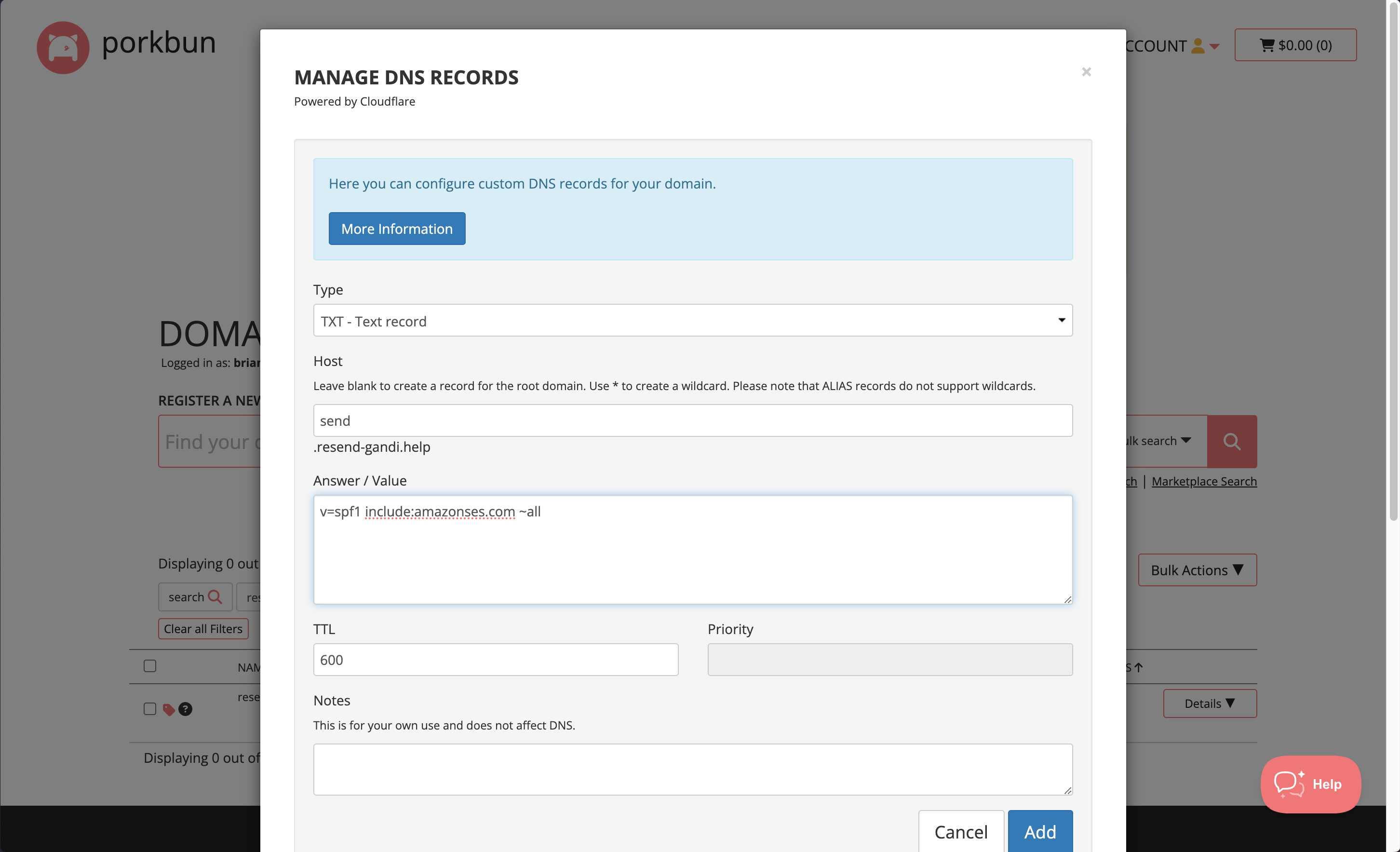
Below is a mapping of the record fields from Resend to Porkbun:
| Porkbun | Resend | Example Value |
|---|---|---|
| Type | Type | TXT Record |
| Host | Name | send |
| Answer / Value | Content | "v=spf1 include:amazonses.com ~all" |
| TTL | TTL | 600 |
Add TXT DKIM Records
Section titled “Add TXT DKIM Records”On the same Create Record section:
- On the
Typepage, chooseTXT. - Type
resend._domainkeyfor theHostof the record. - Copy the TXT Value Resend into the
Answer / Valuefield. - Use the default TTL of
600. - Select
Add Record.
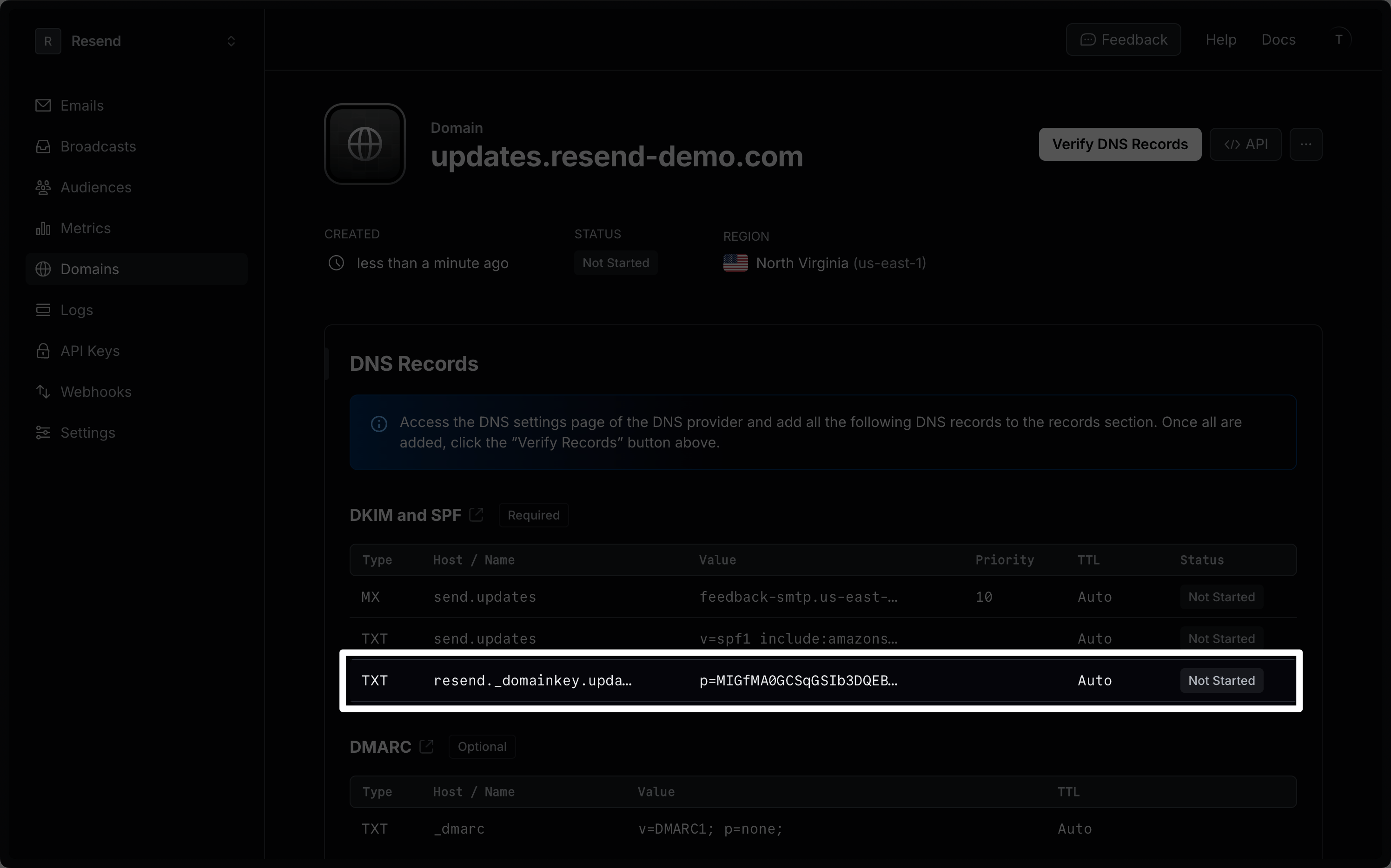
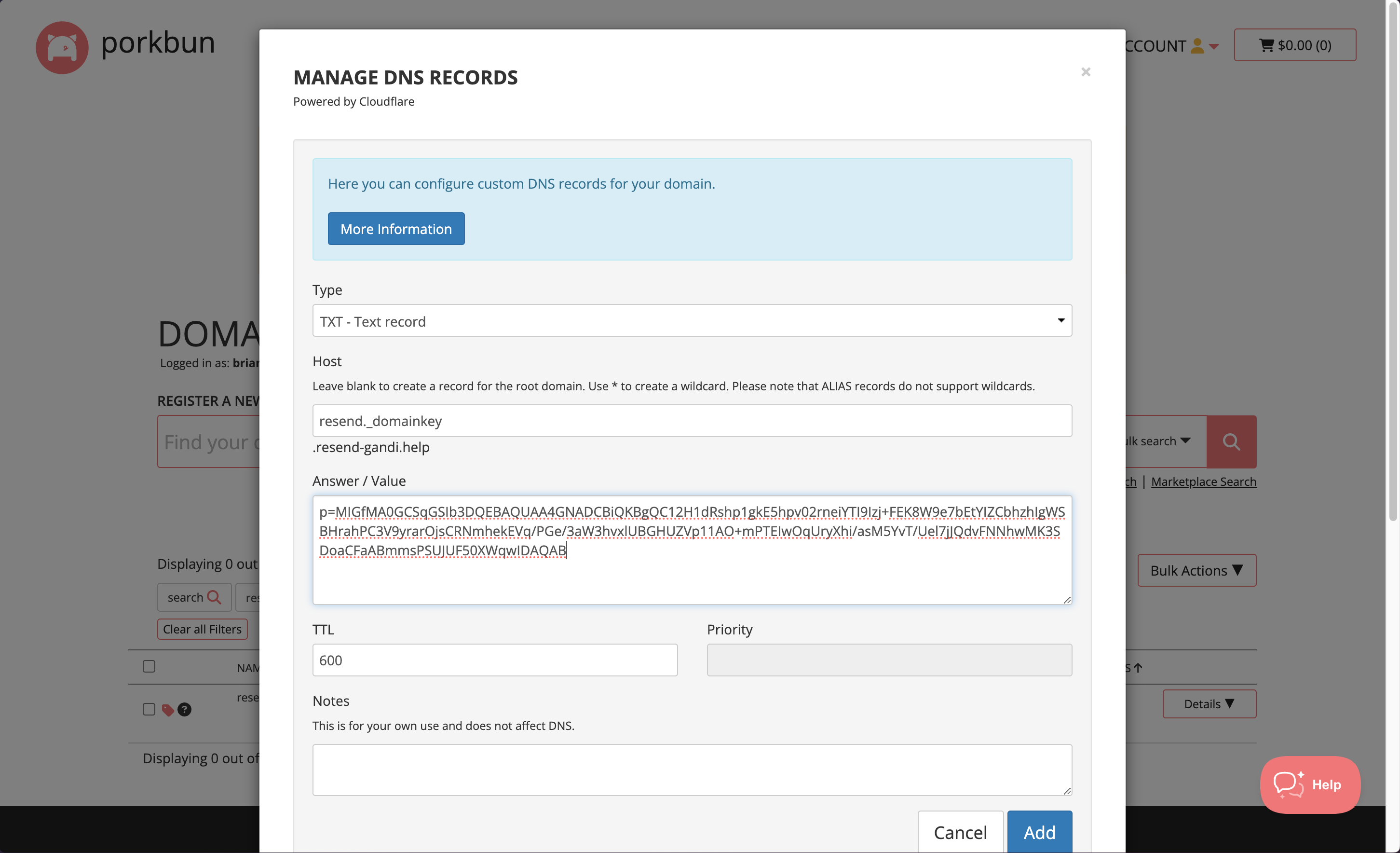
Below is a mapping of the record fields from Resend to Porkbun:
| Porkbun | Resend | Example Value |
|---|---|---|
| Type | Type | TXT Record |
| Host | Name | send |
| Answer / Value | Content | p=example_domain_key_value |
| TTL | TTL | 600 |
Receiving Emails
Section titled “Receiving Emails”If you want to receive emails at your domain, toggle the "Receiving" switch on the domain details page.
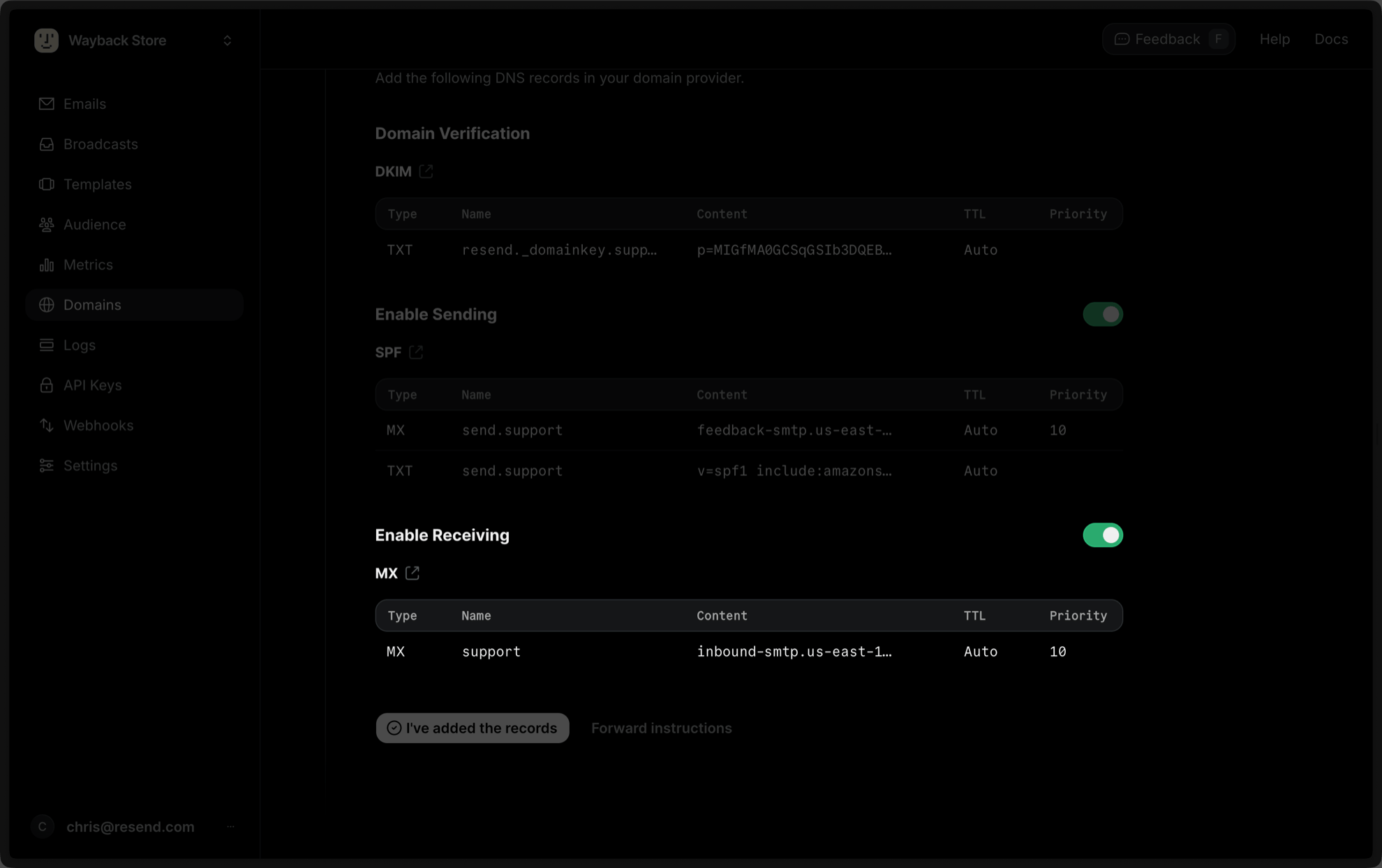
In the DNS section on Porkbun:
- On the
Typepage, chooseMX. - Type
inbound(or whatever your subdomain is) for theHostof the record. - Copy the MX Value from Resend into the
Answer / Valuefield. - Use the default TTL of
600. - In the
Priorityfield enter10. - Select
Add.
Below is a mapping of the record fields from Resend to Porkbun:
| Porkbun | Resend | Example Value |
|---|---|---|
| Type | Type | MX Record |
| Host | Name | inbound |
| Answer / Value | Content | inbound-smtp.us-east-1.amazonaws.com |
| TTL | TTL | 600 |
| Priority | Priority | 10 |
After verifying your domain, create a webhook to process incoming emails. For help setting up a webhook, how to access email data and attachments, forward emails, and more, see our guide on receiving emails with Resend.
Complete Verification
Section titled “Complete Verification”Now click Verify DNS Records on your Domain in Resend. It may take a few hours to complete the verification process (often much faster).
Troubleshooting
Section titled “Troubleshooting”If your domain is not successfully verified, these are some common troubleshooting methods.
Resend shows my domain verification failed.
Review the records you added to Porkbun to rule out copy and paste errors.