Create an API key
Resend API keys
Section titled “Resend API keys”API Keys are secret tokens used to authenticate your requests. They are unique to your account and must be kept confidential.
You must create at least one API key to use the Resend platform through code (e.g., SDKs, API, command-line interface (CLI), or AI tools).
Create an API Key
Section titled “Create an API Key”You can create API keys in four ways:
- in the API keys Dashboard page
- using the Resend API
- with a Resend CLI command
- with the Resend MCP server
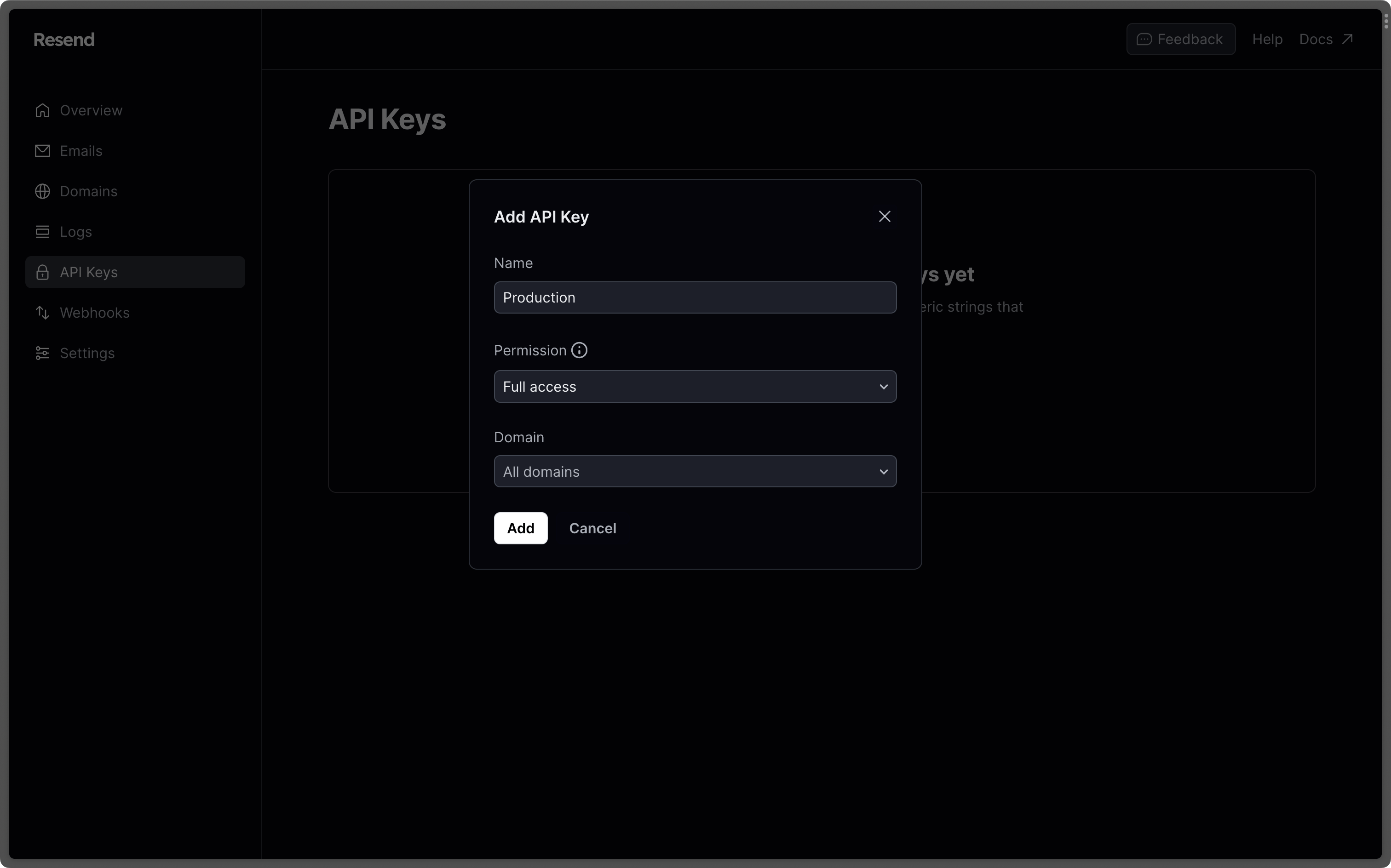
To create a new API Key from the Resend Dashboard:
Click the Create API Key button.
Provide a name for your API Key.
Choose a name (maximum 50 characters) to identify your key.
Select a permission for your API key.
Choose "Sending access" to grant access to only sending emails unless your key needs full access to Resend’s API to create, delete, get, and update any resource.
This API key permission can be updated at any time in the Dashboard.
(Optional) Restrict sending to a specific domain
If you selected "Sending access", you can further choose the domain you want to restrict access to.
Use the API key in your code
Section titled “Use the API key in your code”Authenticate your requests by adding your Resend API key to your project as an environment variable.
You can check the quickstart guides or AI builder guides for specific examples of passing your API key to your project.
Create and store an environment variable
Store your API key as an environment variable in your project. This is commonly done inside a special file or configuration panel and will depend on your language, framework, or development platform.
For example, Node.js projects commonly store both public and secret variables in a
.envfile at the root of your project:.env RESEND_API_KEY=re_xxxxxxxxxPass the environment variable to your code
Your project environment variables are not automatically available to Resend. You must explicitly pass your API key value to your Resend code.
For example, whenever you create a new Resend instance in a Node.js project, you must pass the environment variable on
process.env:app.ts const resend = new Resend(process.env.RESEND_API_KEY);
Learn more
Section titled “Learn more”Manage API keys
View, create, edit, delete, and manage your API keys.
API key best practices
Learn about best practices for managing your API keys.