Send emails using Retool with SMTP
Prerequisites
Section titled “Prerequisites”Before you start, you'll need:
- A Resend API key
- A verified domain
Get the Resend SMTP credentials
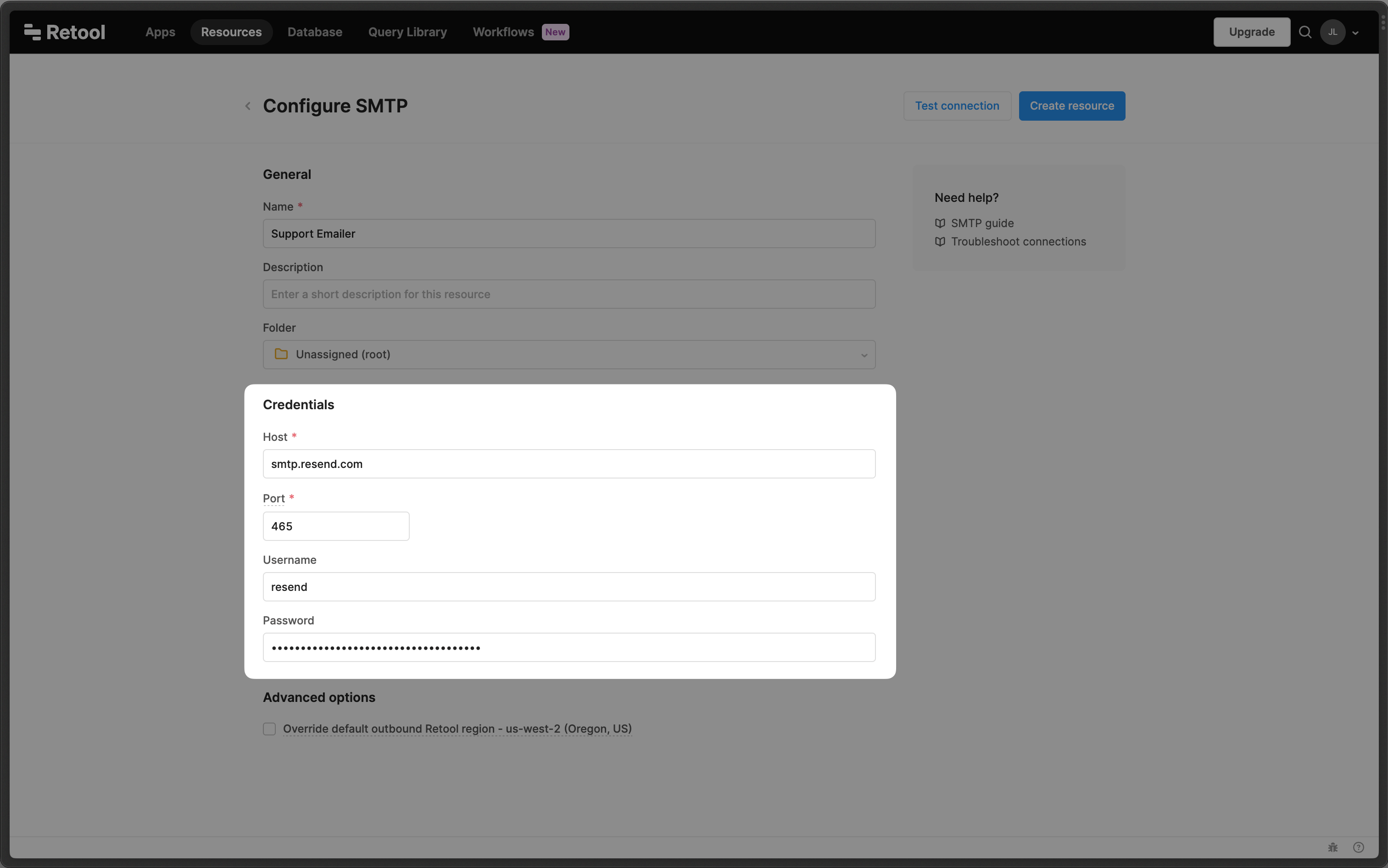
When configuring your SMTP integration, you'll need to use the following credentials:
- Host:
smtp.resend.com - Port:
465 - Username:
resend - Password:
YOUR_API_KEY
- Host:
Integrate with Retool SMTP
Log into your Retool account and create a new SMTP Resource.
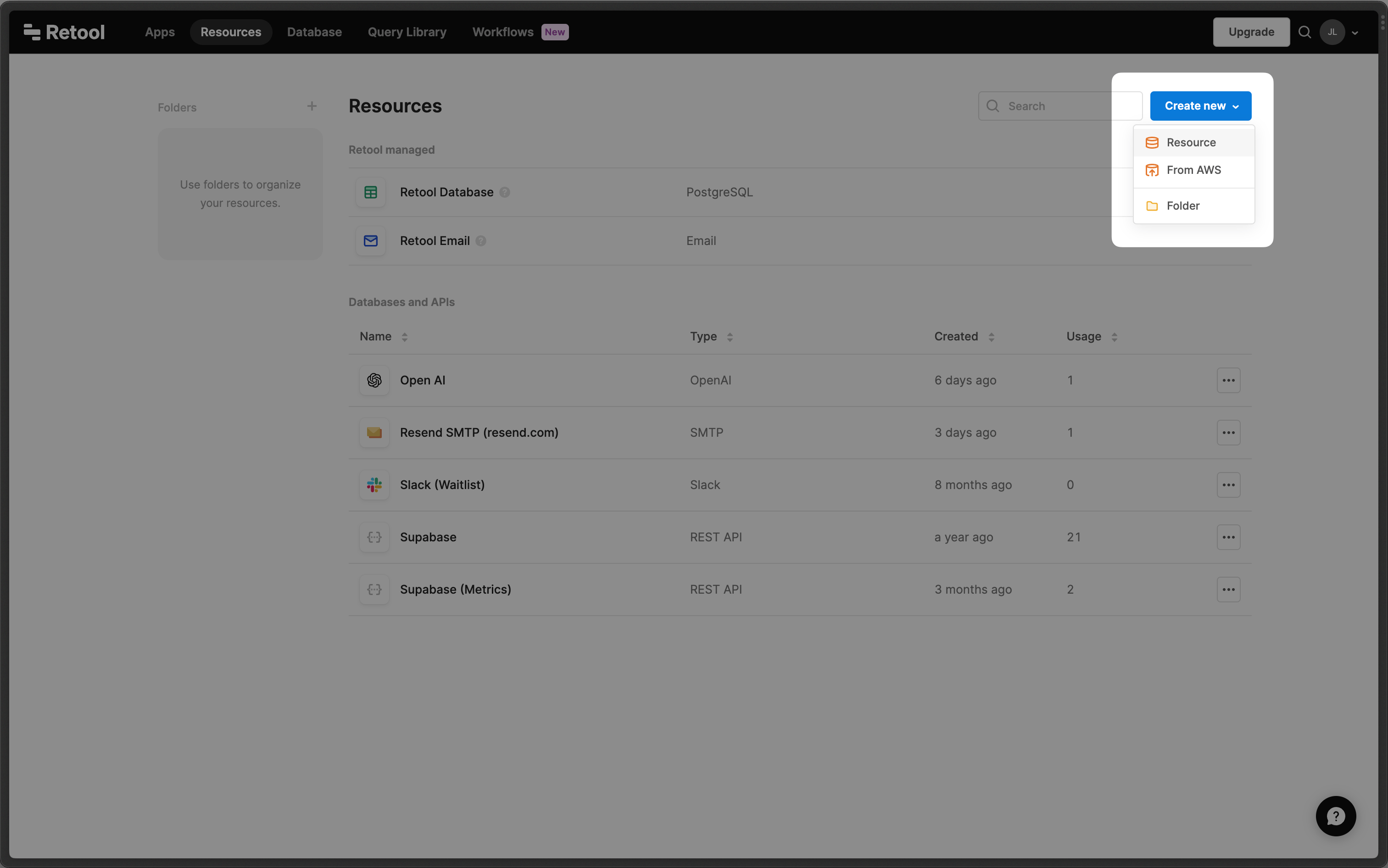
- Go to Resources and click Create New
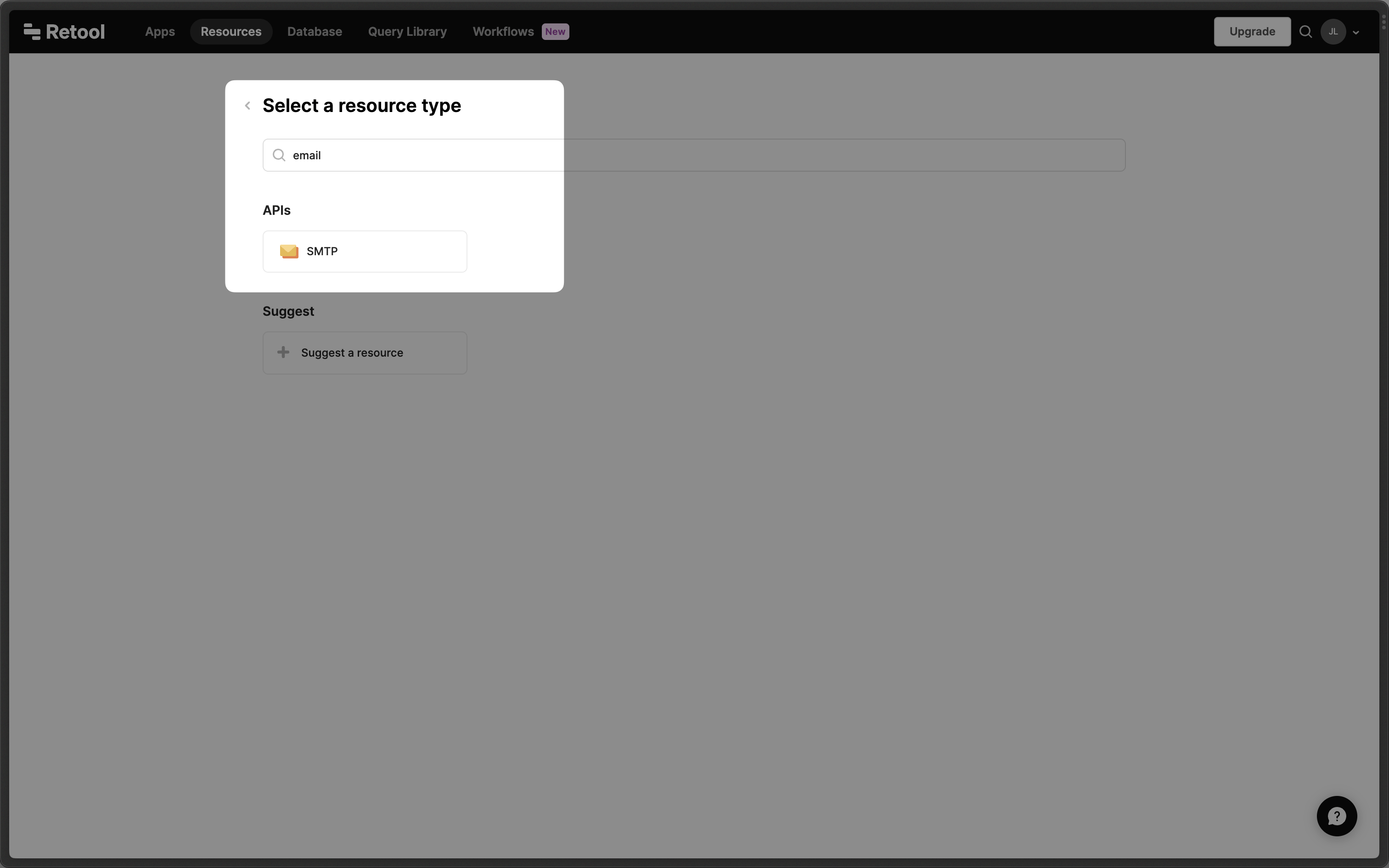
- Search for SMTP and select it
- Add name and SMTP credentials