Create a Webhook
How to receive webhooks
Section titled “How to receive webhooks”To receive real-time events in your app via webhooks, follow these steps.
Prefer video? Watch the tutorial below.
Create a dev endpoint to receive requests
In your local application, create a new route that can accept POST requests.
For example, you can add an API route:
pages/api/webhooks.ts export default (req, res) => { if (req.method === 'POST') { const event = req.body; console.log(event); res.status(200).json({}); } };On receiving an event, respond with an
HTTP 200 OKto signal to Resend that the event was successfully delivered.Add a webhook in Resend
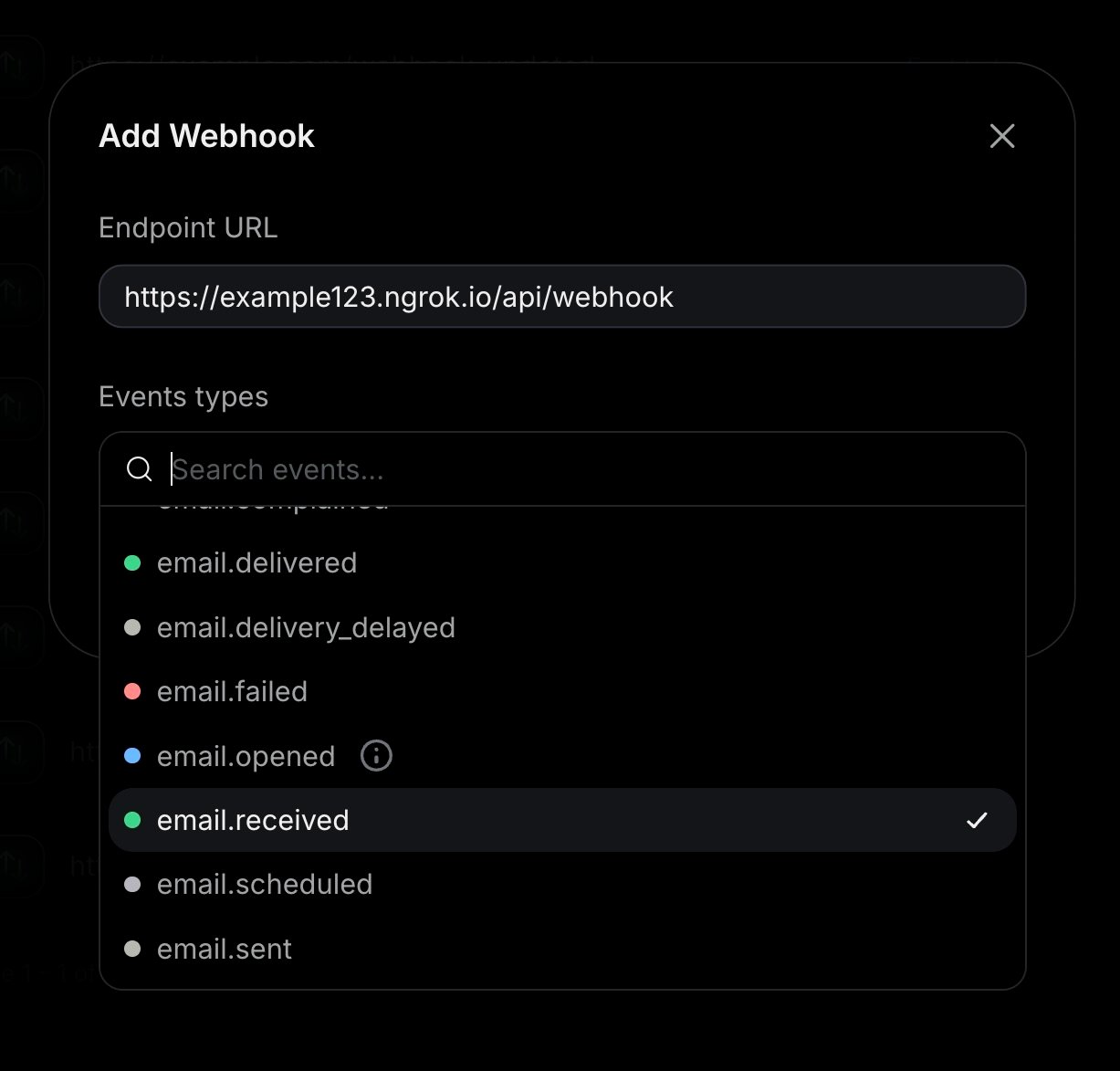
Navigate to the Webhooks page, then select Add Webhook.
- Add your publicly accessible HTTPS URL
- Select all events you want to observe
Test your local endpoint
To ensure your endpoint is successfully receiving events, perform an event you are tracking with your webhook, like sending an email, creating a contact, or creating a domain.
The webhook will send a JSON payload to your endpoint with the event details. For example:
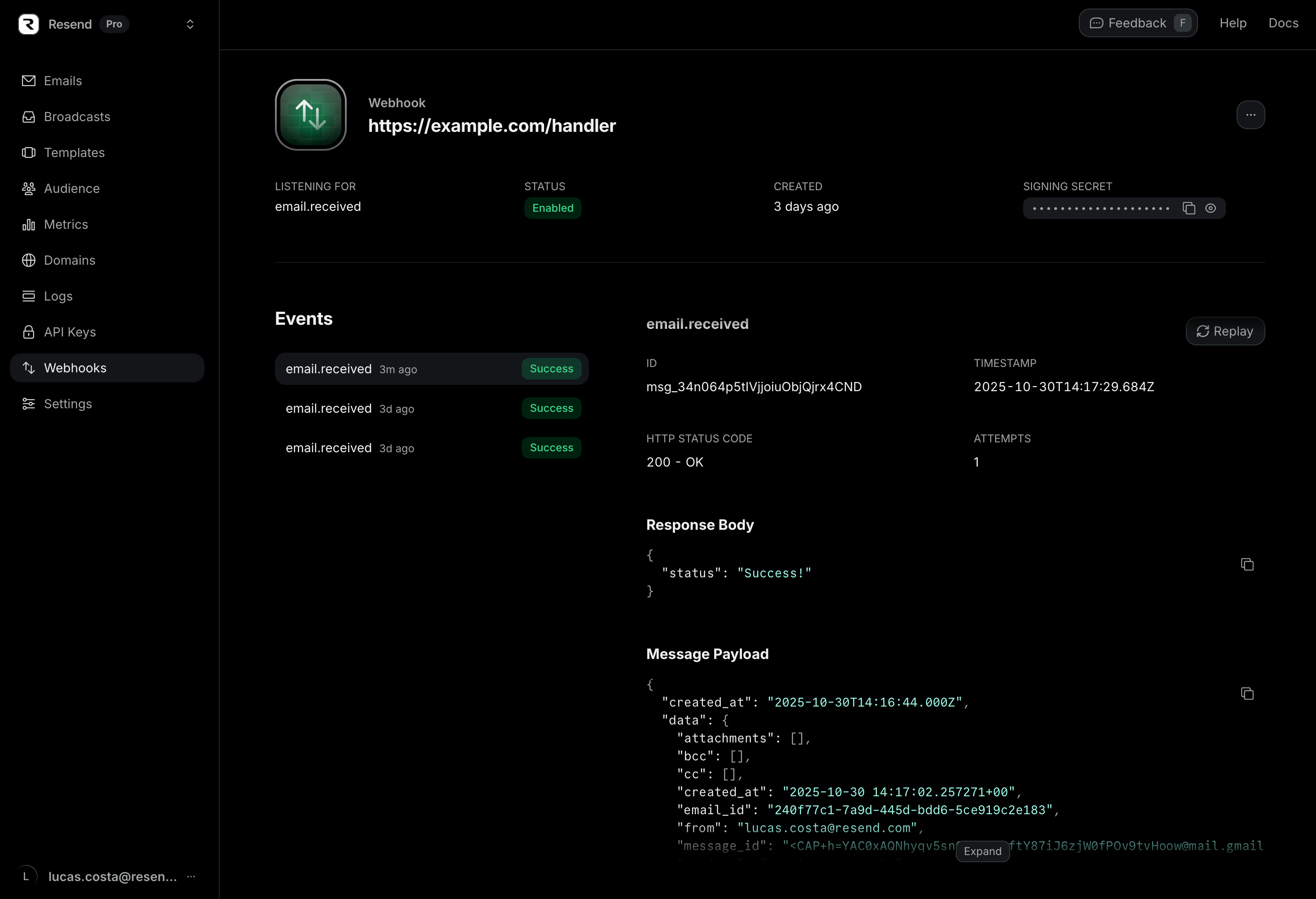
JSON { "type": "email.bounced", "created_at": "2026-11-22T23:41:12.126Z", "data": { "broadcast_id": "8b146471-e88e-4322-86af-016cd36fd216", "created_at": "2026-11-22T23:41:11.894719+00:00", "email_id": "56761188-7520-42d8-8898-ff6fc54ce618", "message_id": "<111-222-333@email.example.com>", "from": "Acme <onboarding@resend.dev>", "to": ["delivered@resend.dev"], "subject": "Sending this example", "template_id": "43f68331-0622-4e15-8202-246a0388854b", "bounce": { "message": "The recipient's email address is on the suppression list because it has a recent history of producing hard bounces.", "subType": "Suppressed", "type": "Permanent" }, "tags": { "category": "confirm_email" } } }You can also see the webhook details in the dashboard.
Update and deploy your production endpoint
Once you successfully receive events, update your endpoint to process the events.
For example, update your API route:
pages/api/webhooks.ts export default (req, res) => { if (req.method === 'POST') { const event = req.body; if (event.type === 'email.bounced') { // } res.status(200).json({}); } };After you're done testing, deploy your webhook endpoint to production.
Register your production webhook endpoint
Once your webhook endpoint is deployed to production, you can register it in the Resend dashboard.
What is the retry schedule?
If Resend does not receive a 200 response from a webhook server, we will retry the webhooks.
Each message is attempted based on the following schedule, where each period is started following the failure of the preceding attempt:
- Immediately
- 5 seconds
- 5 minutes
- 30 minutes
- 2 hours
- 5 hours
- 10 hours
- 10 hours (in addition to the previous)
You can see when a message will be retried next in the webhook message details in the dashboard.
What IPs do webhooks POST from?
If your server requires an allowlist, our webhooks come from the following IP addresses:
44.228.126.21750.112.21.21752.24.126.16454.148.139.2082600:1f24:64:8000::/52
What are the delivery guarantees?
Resend webhooks provide at-least-once delivery. Every event will be delivered to your endpoint at least once, but may be delivered more than once in rare cases (such as network timeouts where your server processed the event but the acknowledgement was lost).
To handle duplicates, use the svix-id header included with every webhook request. This is a unique identifier for each event delivery. Store processed svix-id values and skip any duplicates.
Do events arrive in order?
Events are sent as they occur, but delivery order is not guaranteed. Network conditions, retries, and processing delays can cause events to arrive out of order. For example, an email.opened event could arrive before the email.delivered event for the same email.
If ordering matters for your application, use the created_at timestamp in the event payload to sort events after receipt.
Can I replay webhook events manually?
Yes. You can replay webhook events manually from the dashboard.
You can replay both failed and succeeded events. Replaying successful events is useful when you need to:
- Backfill your system after an outage on your endpoint.
- Reprocess events with updated handler code.
- Send the event to a different endpoint for testing.
To replay a webhook event, click to see your webhook details and then click the link to the event you want to replay.
On that page, you will see both the payload for the event and a button to replay the webhook event and get it sent to the configured webhook endpoint.
For more details, see Retries and Replays.
API Reference
Section titled “API Reference”For complete API documentation, see the Webhooks API reference.