Send Email
This automation step triggers a Template email to be sent to the contact.
How it works
Section titled “How it works”After adding a trigger, create a new step to Send an email.
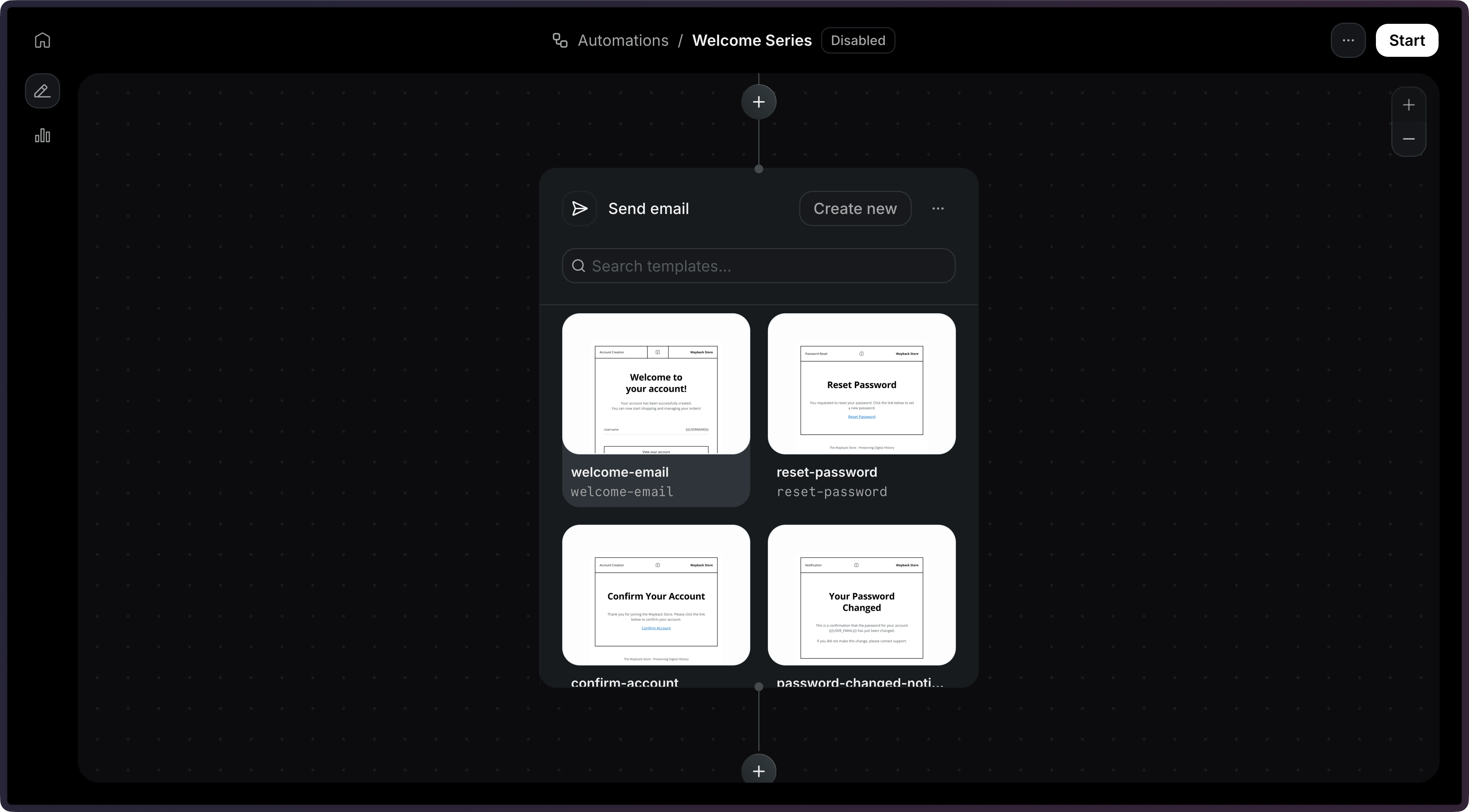
Select a published template, then configure the sender address.
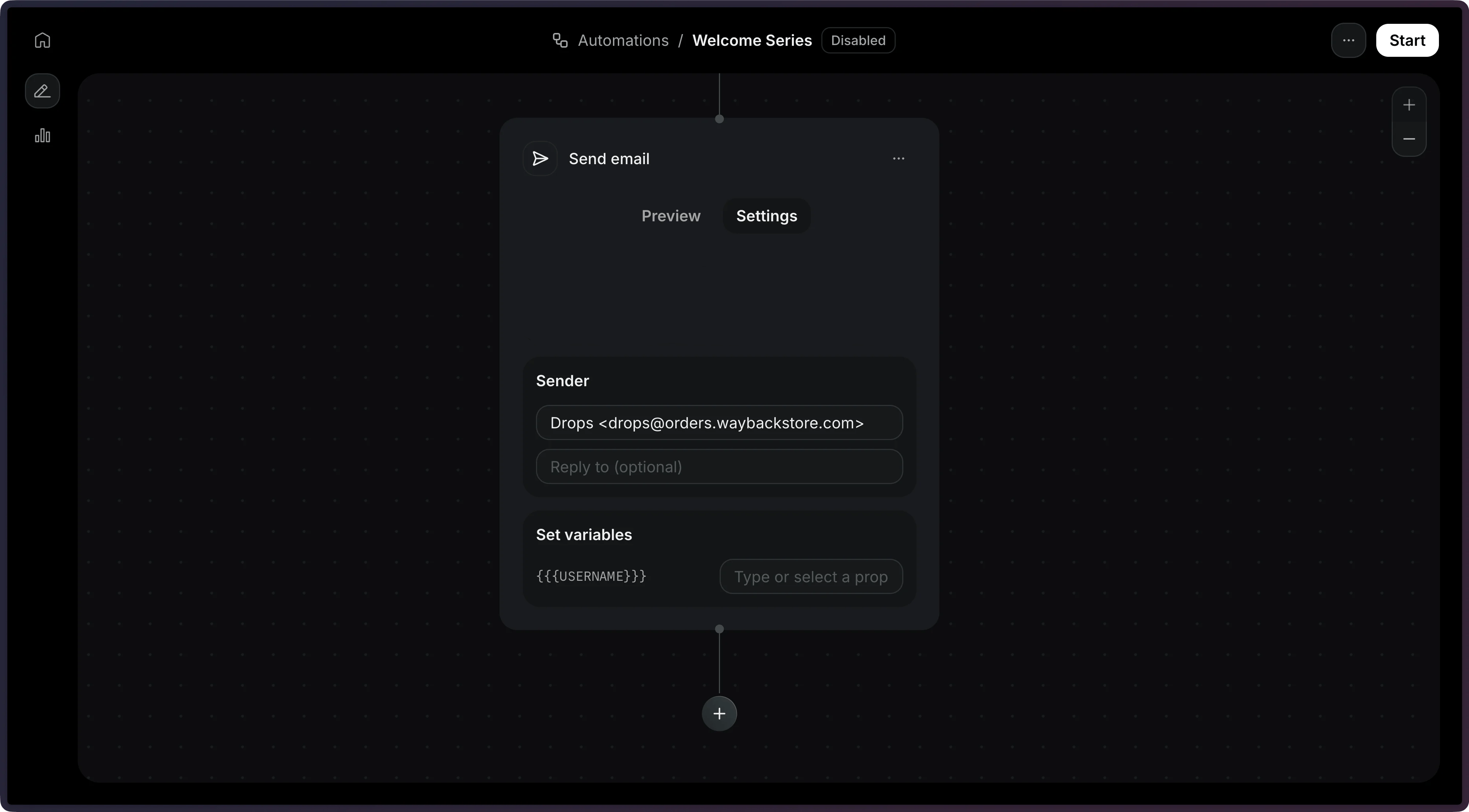
The subject always comes from the Template. To send a different subject, set subject when creating the step via the API.
Add a send_email step to your Automation's steps array.
import { Resend } from 'resend';const resend = new Resend('re_xxxxxxxxx');const { data, error } = await resend.automations.create({ name: 'Welcome series', steps: [ { key: 'start', type: 'trigger', config: { eventName: 'user.created' }, }, { key: 'welcome', type: 'send_email', config: { template: { id: '044db673-fff6-420f-a566-f6aba05d60e7', }, }, }, ], connections: [{ from: 'start', to: 'welcome' }],});$resend = Resend::client('re_xxxxxxxxx');$resend->automations->create([ 'name' => 'Welcome series', 'steps' => [ [ 'key' => 'start', 'type' => 'trigger', 'config' => ['event_name' => 'user.created'], ], [ 'key' => 'welcome', 'type' => 'send_email', 'config' => [ 'template' => [ 'id' => '044db673-fff6-420f-a566-f6aba05d60e7', ], ], ], ], 'connections' => [['from' => 'start', 'to' => 'welcome']],]);import resendresend.api_key = "re_xxxxxxxxx"params: resend.Automations.CreateParams = { "name": "Welcome series", "steps": [ { "key": "start", "type": "trigger", "config": {"event_name": "user.created"}, }, { "key": "welcome", "type": "send_email", "config": { "template": { "id": "044db673-fff6-420f-a566-f6aba05d60e7", }, }, }, ], "connections": [{"from": "start", "to": "welcome"}],}resend.Automations.create(params)require "resend"Resend.api_key = "re_xxxxxxxxx"params = { name: "Welcome series", steps: [ { key: "start", type: "trigger", config: { event_name: "user.created" }, }, { key: "welcome", type: "send_email", config: { template: { id: "044db673-fff6-420f-a566-f6aba05d60e7", }, }, }, ], connections: [{ from: "start", to: "welcome" }],}Resend::Automations.create(params)package mainimport "github.com/resend/resend-go/v4"func main() { client := resend.NewClient("re_xxxxxxxxx") params := &resend.CreateAutomationRequest{ Name: "Welcome series", Steps: []resend.AutomationStep{ { Key: "start", Type: resend.AutomationStepTypeTrigger, Config: map[string]any{ "event_name": "user.created", }, }, { Key: "welcome", Type: resend.AutomationStepTypeSendEmail, Config: map[string]any{ "template": map[string]any{ "id": "044db673-fff6-420f-a566-f6aba05d60e7", }, }, }, }, Connections: []resend.AutomationConnection{ {From: "start", To: "welcome"}, }, } client.Automations.Create(params)}use resend_rs::{ types::{ AutomationStatus, AutomationTemplate, Connection, CreateAutomationOptions, SendEmailStepConfig, Step, TriggerStepConfig, }, Resend, Result,};#[tokio::main]async fn main() -> Result<()> { let resend = Resend::new("re_xxxxxxxxx"); let opts = CreateAutomationOptions { name: "Welcome series".to_owned(), steps: vec![ Step::Trigger { key: "start".to_owned(), config: TriggerStepConfig { event_name: "user.created".to_owned(), }, }, Step::SendEmail { key: "welcome".to_owned(), config: SendEmailStepConfig::new(AutomationTemplate::new( "044db673-fff6-420f-a566-f6aba05d60e7", )), }, ], connections: vec![Connection::new("start", "welcome")], status: AutomationStatus::Disabled, }; let _automation = resend.automations.create(opts).await?; Ok(())}import com.resend.*;import com.resend.core.exception.ResendException;import com.resend.services.automations.model.AutomationConnection;import com.resend.services.automations.model.AutomationStep;import com.resend.services.automations.model.CreateAutomationOptions;import com.resend.services.automations.model.CreateAutomationResponseSuccess;import java.util.Map;public class Main { public static void main(String[] args) throws ResendException { Resend resend = new Resend("re_xxxxxxxxx"); CreateAutomationOptions options = CreateAutomationOptions.builder() .name("Welcome series") .steps( AutomationStep.trigger("start") .eventName("user.created") .build(), AutomationStep.sendEmail("welcome") .template("044db673-fff6-420f-a566-f6aba05d60e7") .templateVariable("name", Map.of("var", "event.firstName")) .build() ) .connections( AutomationConnection.builder() .from("start") .to("welcome") .build() ) .build(); CreateAutomationResponseSuccess data = resend.automations().create(options); }}using Resend;using System.Text.Json;IResend resend = ResendClient.Create( "re_xxxxxxxxx" );var startConfig = JsonSerializer.SerializeToElement( new { event_name = "user.created" } );var welcomeConfig = JsonSerializer.SerializeToElement( new{ template = new { id = "044db673-fff6-420f-a566-f6aba05d60e7", variables = new { name = new { @var = "event.firstName" } }, }, subject = "Welcome to Acme!", from = "Acme <hello@example.com>", reply_to = "support@example.com",} );var resp = await resend.AutomationCreateAsync( new AutomationCreateData(){ Name = "Welcome series", Steps = new List<AutomationStepData> { new AutomationStepData { Ref = "start", Type = "trigger", Config = startConfig }, new AutomationStepData { Ref = "welcome", Type = "send_email", Config = welcomeConfig }, }, Connections = new List<AutomationEdge> { new AutomationEdge { From = "start", To = "welcome", EdgeType = "default" }, },} );curl -X POST 'https://api.resend.com/automations' \ -H 'Authorization: Bearer re_xxxxxxxxx' \ -H 'Content-Type: application/json' \ -d '{ "name": "Welcome series", "steps": [{ "key": "start", "type": "trigger", "config": { "event_name": "user.created" } }, { "key": "welcome", "type": "send_email", "config": { "template": { "id": "044db673-fff6-420f-a566-f6aba05d60e7" } } }], "connections": [ { "from": "start", "to": "welcome" } ]}'resend automations create --name "Welcome series" --file ./automation.jsonTemplate variables
Section titled “Template variables”Use the variables field to pass data into your template. Each variable value can be a dynamic reference or a static string.
| Type | Format | Description |
|---|---|---|
| Event data | { "var": "event.<field>" } |
Resolves a field from the triggering event's payload. |
| Contact data | { "var": "contact.<field>" } |
Resolves a field from the contact record. |
| Waited event data | { "var": "wait_events.<event_name>.<field>" } |
Resolves a field from a preceding wait for event step's payload. |
| Static value | "<string>" |
Passed as-is to the template. |
{ "key": "welcome", "type": "send_email", "config": { "template": { "id": "044db673-fff6-420f-a566-f6aba05d60e7", "variables": { "firstName": { "var": "event.firstName" }, "orderNumber": { "var": "event.orderId" }, "total": { "var": "event.amount" }, "company": { "var": "contact.properties.company" }, "feedback": { "var": "wait_events.feedback.received.response" }, "supportEmail": "help@example.com" } } }}Template variables must be present in your referenced template and the key names must match exactly with the template variable names.
For more help working with variables, see the Template documentation.
Unsubscribe behavior
Section titled “Unsubscribe behavior”Resend does not automatically add an unsubscribe link to emails sent from a send_email step. To let contacts opt out, add {{{RESEND_UNSUBSCRIBE_URL}}} to the Template used by the step.
See when to use an unsubscribe link to decide whether your Automation emails need one.
Configuration
Section titled “Configuration”config.template(object, required) — The published template to send. Provideidand optionallyvariables.
properties
config.template.id(string, required) — The ID or alias of the template to send.config.template.variables(object) — A key-value map of template variables. Each value can be a static string or a variable reference object ({ "var": "event.fieldName" }) that resolves dynamically from theevent.*,contact.*, orwait_events.*namespaces.
config.from(string) — The sender email address.
If provided, this value will override the template's default value.
config.subject(string) — The email subject line.
If provided, this value will override the template's default value.
config.reply_to(string) — Reply-to email address.
If provided, this value will override the template's default value.
{
  "key": "welcome",
  "type": "send_email",
  "config": {
    "template": {
      "id": "062f8ef4-fbfa-44f1-b5e0-ff8e1e8ffa96",
      "variables": {
        "name": { "var": "event.firstName" }
      }
    },
    "from": "hello@example.com",
    "subject": "Welcome!",
    "reply_to": "support@example.com"
  }
}