Contact Update
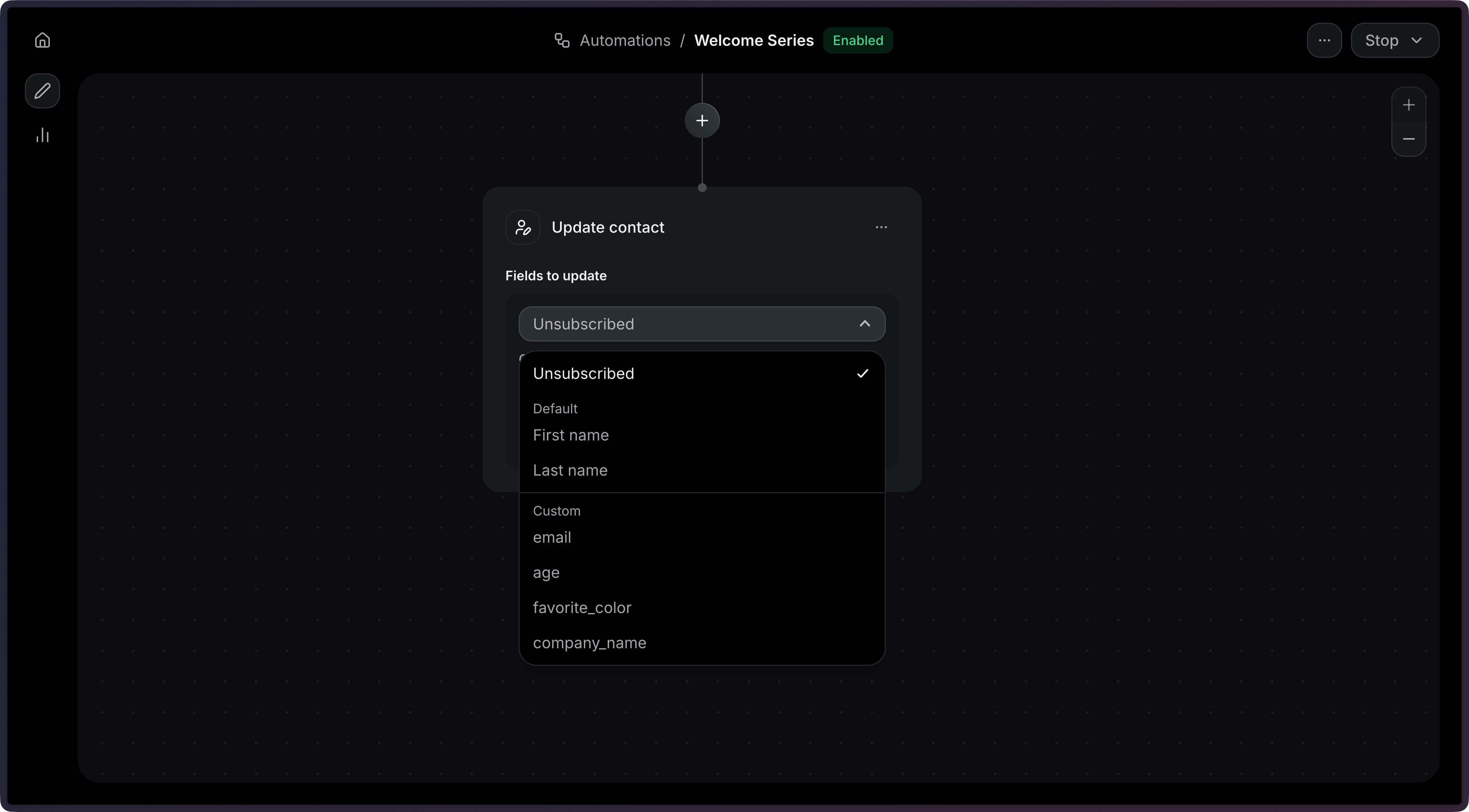
The contact update step modifies a contact's fields as part of an Automation. You can update a contact's name, subscription status, or custom properties.
Common use cases:
- Enrich profiles: Copy event data into the contact record.
- Set flags: Mark contacts as VIP, or churned based on their activity.
- Sync properties: Keep custom properties up to date as events flow in.
How it works
Section titled “How it works”Add an Update contact step and update the fields you want to change.
Add a contact_update step to your Automation's steps array.
import { Resend } from 'resend';const resend = new Resend('re_xxxxxxxxx');const { data, error } = await resend.automations.create({ name: 'Enrich contact on signup', steps: [ { key: 'start', type: 'trigger', config: { eventName: 'user.created' }, }, { key: 'update', type: 'contact_update', config: { firstName: { var: 'event.firstName' }, lastName: { var: 'event.lastName' }, properties: { company: { var: 'event.company' }, vip: true, }, }, }, ], connections: [{ from: 'start', to: 'update', type: 'default' }],});$resend = Resend::client('re_xxxxxxxxx');$resend->automations->create([ 'name' => 'Enrich contact on signup', 'steps' => [ [ 'key' => 'start', 'type' => 'trigger', 'config' => ['event_name' => 'user.created'], ], [ 'key' => 'update', 'type' => 'contact_update', 'config' => [ 'first_name' => ['var' => 'event.firstName'], 'last_name' => ['var' => 'event.lastName'], 'properties' => [ 'company' => ['var' => 'event.company'], 'vip' => true, ], ], ], ], 'connections' => [['from' => 'start', 'to' => 'update', 'type' => 'default']],]);import resendresend.api_key = "re_xxxxxxxxx"params: resend.Automations.CreateParams = { "name": "Enrich contact on signup", "steps": [ { "key": "start", "type": "trigger", "config": {"event_name": "user.created"}, }, { "key": "update", "type": "contact_update", "config": { "first_name": {"var": "event.firstName"}, "last_name": {"var": "event.lastName"}, "properties": { "company": {"var": "event.company"}, "vip": True, }, }, }, ], "connections": [{"from": "start", "to": "update", "type": "default"}],}resend.Automations.create(params)require "resend"Resend.api_key = "re_xxxxxxxxx"params = { name: "Enrich contact on signup", steps: [ { key: "start", type: "trigger", config: { event_name: "user.created" }, }, { key: "update", type: "contact_update", config: { first_name: { var: "event.firstName" }, last_name: { var: "event.lastName" }, properties: { company: { var: "event.company" }, vip: true, }, }, }, ], connections: [{ from: "start", to: "update", type: "default" }],}Resend::Automations.create(params)package mainimport "github.com/resend/resend-go/v4"func main() { client := resend.NewClient("re_xxxxxxxxx") params := &resend.CreateAutomationRequest{ Name: "Enrich contact on signup", Steps: []resend.AutomationStep{ { Key: "start", Type: resend.AutomationStepTypeTrigger, Config: map[string]any{ "event_name": "user.created", }, }, { Key: "update", Type: resend.AutomationStepTypeContactUpdate, Config: map[string]any{ "first_name": map[string]any{"var": "event.firstName"}, "last_name": map[string]any{"var": "event.lastName"}, "properties": map[string]any{ "company": map[string]any{"var": "event.company"}, "vip": true, }, }, }, }, Connections: []resend.AutomationConnection{ {From: "start", To: "update", Type: resend.AutomationConnectionTypeDefault}, }, } client.Automations.Create(params)}use resend_rs::{ json, types::{ AutomationStatus, Connection, ConnectionType, CreateAutomationOptions, Step, TriggerStepConfig, }, Resend, Result,};#[tokio::main]async fn main() -> Result<()> { let resend = Resend::new("re_xxxxxxxxx"); let opts = CreateAutomationOptions { name: "Enrich contact on signup".to_owned(), steps: vec![ Step::Trigger { key: "start".to_owned(), config: TriggerStepConfig { event_name: "user.created".to_owned(), }, }, Step::ContactUpdate { key: "update".to_owned(), config: json!({ "firstName": {"var": "event.firstName"}, "lastName": {"var": "event.lastName"}, "properties": { "company": {"var": "event.company"}, "vip": true } }), }, ], connections: vec![Connection::new("start", "update").with_type(ConnectionType::Default)], status: AutomationStatus::Disabled, }; let _automation = resend.automations.create(opts).await?; Ok(())}import com.resend.*;import com.resend.core.exception.ResendException;import com.resend.services.automations.model.AutomationConnection;import com.resend.services.automations.model.AutomationStep;import com.resend.services.automations.model.ConnectionType;import com.resend.services.automations.model.CreateAutomationOptions;import com.resend.services.automations.model.CreateAutomationResponseSuccess;import java.util.Map;public class Main { public static void main(String[] args) throws ResendException { Resend resend = new Resend("re_xxxxxxxxx"); CreateAutomationOptions options = CreateAutomationOptions.builder() .name("Enrich contact on signup") .steps( AutomationStep.trigger("start") .eventName("user.created") .build(), AutomationStep.contactUpdate("update") .firstName(Map.of("var", "event.firstName")) .lastName(Map.of("var", "event.lastName")) .properties(Map.of( "company", Map.of("var", "event.company"), "vip", true)) .build() ) .connections( AutomationConnection.builder() .from("start") .to("update") .type(ConnectionType.DEFAULT) .build() ) .build(); CreateAutomationResponseSuccess data = resend.automations().create(options); }}using Resend;using System.Text.Json;IResend resend = ResendClient.Create( "re_xxxxxxxxx" );var startConfig = JsonSerializer.SerializeToElement( new { event_name = "user.created" } );var updateConfig = JsonSerializer.SerializeToElement( new{ first_name = new { @var = "event.firstName" }, last_name = new { @var = "event.lastName" }, properties = new { company = new { @var = "event.company" }, vip = true, },} );var resp = await resend.AutomationCreateAsync( new AutomationCreateData(){ Name = "Enrich contact on signup", Steps = new List<AutomationStepData> { new AutomationStepData { Ref = "start", Type = "trigger", Config = startConfig }, new AutomationStepData { Ref = "update", Type = "contact_update", Config = updateConfig }, }, Connections = new List<AutomationEdge> { new AutomationEdge { From = "start", To = "update", EdgeType = "default" }, },} );curl -X POST 'https://api.resend.com/automations' \ -H 'Authorization: Bearer re_xxxxxxxxx' \ -H 'Content-Type: application/json' \ -d '{ "name": "Enrich contact on signup", "steps": [{ "key": "start", "type": "trigger", "config": { "event_name": "user.created" } }, { "key": "update", "type": "contact_update", "config": { "first_name": { "var": "event.firstName" }, "last_name": { "var": "event.lastName" }, "properties": { "company": { "var": "event.company" }, "vip": true } } }], "connections": [ { "from": "start", "to": "update", "type": "default" } ]}'resend automations create --name "Enrich contact on signup" --file ./automation.jsonDynamic variables
Section titled “Dynamic variables”Each field value can be a hardcoded value (string, number, boolean) or a dynamic variable reference using the { "var": "..." } syntax. Variable references use dot-notation with one of these scopes:
event.*: references a field from the triggering event payload.contact.*: references a field from the current contact record.
For more help working with variables in templates, see the Send Email step documentation.
{ "key": "update", "type": "contact_update", "config": { "first_name": { "var": "event.firstName" }, "last_name": { "var": "event.lastName" }, "properties": { "company": { "var": "event.company" }, "vip": true } }}Configuration
Section titled “Configuration”-
config.first_name(string | object) — The contact's first name. Accepts a hardcoded string or a variable reference. -
config.last_name(string | object) — The contact's last name. Accepts a hardcoded string or a variable reference. -
config.unsubscribed(boolean | object) — The contact's unsubscribed status. Accepts a boolean or a variable reference. -
config.properties(object) — A map of custom contact properties to update. Keys correspond to your Contact Custom Properties. Each value can be a hardcoded value (string, number, boolean) or a variable reference.
{
  "key": "update_contact",
  "type": "contact_update",
  "config": {
    "properties": {
      "company": { "var": "event.company" },
      "vip": true
    }
  }
}