Send emails with Laravel
Prerequisites
Section titled “Prerequisites”Before you start, you'll need:
- A Resend API key
- A verified domain
Prefer watching a video? Check out this video walkthrough below.
Install
First, install Resend for Laravel using the Composer package manager:
Composer composer require resend/resend-laravelConfiguration
API key
Next, configure your Resend API key in your application's
.envfile:.env RESEND_API_KEY=re_xxxxxxxxxMail driver
To use Resend as your mail driver, first create a new mailer definition, in the
mailersarray within your application'sconfig/mail.phpconfiguration file:mail.php 'resend' => [ 'transport' => 'resend', ],Next, update your application's
.envfile to use the Resend mail driver:.env MAIL_MAILER=resend MAIL_FROM_ADDRESS=onboarding@resend.dev MAIL_FROM_NAME=AcmeSend an email
Resend for Laravel provides two convenient ways to send emails, using Laravel's email service or the
ResendAPI facade.Using the Mail Facade
OrderShipmentController.php <?php namespace App\Http\Controllers; use App\Http\Controllers\Controller; use App\Mail\OrderShipped; use App\Models\Order; use Illuminate\Http\RedirectResponse; use Illuminate\Http\Request; use Illuminate\Support\Facades\Mail; class OrderShipmentController extends Controller { /** * Ship the given order. */ public function store(Request $request): RedirectResponse { $order = Order::findOrFail($request->order_id); // Ship the order... Mail::to($request->user())->send(new OrderShipped($order)); return redirect('/orders'); } }Using the Resend Facade
OrderShipmentController.php <?php namespace App\Http\Controllers; use App\Http\Controllers\Controller; use App\Mail\OrderShipped; use App\Models\Order; use Illuminate\Http\RedirectResponse; use Illuminate\Http\Request; use Resend\Laravel\Facades\Resend; class OrderShipmentController extends Controller { /** * Ship the given order. */ public function store(Request $request): RedirectResponse { $order = Order::findOrFail($request->order_id); // Ship the order... Resend::emails()->send([ 'from' => 'Acme <onboarding@resend.dev>', 'to' => [$request->user()->email], 'subject' => 'hello world', 'html' => (new OrderShipped($order))->render(), ]) return redirect('/orders'); } }Receiving webhook requests
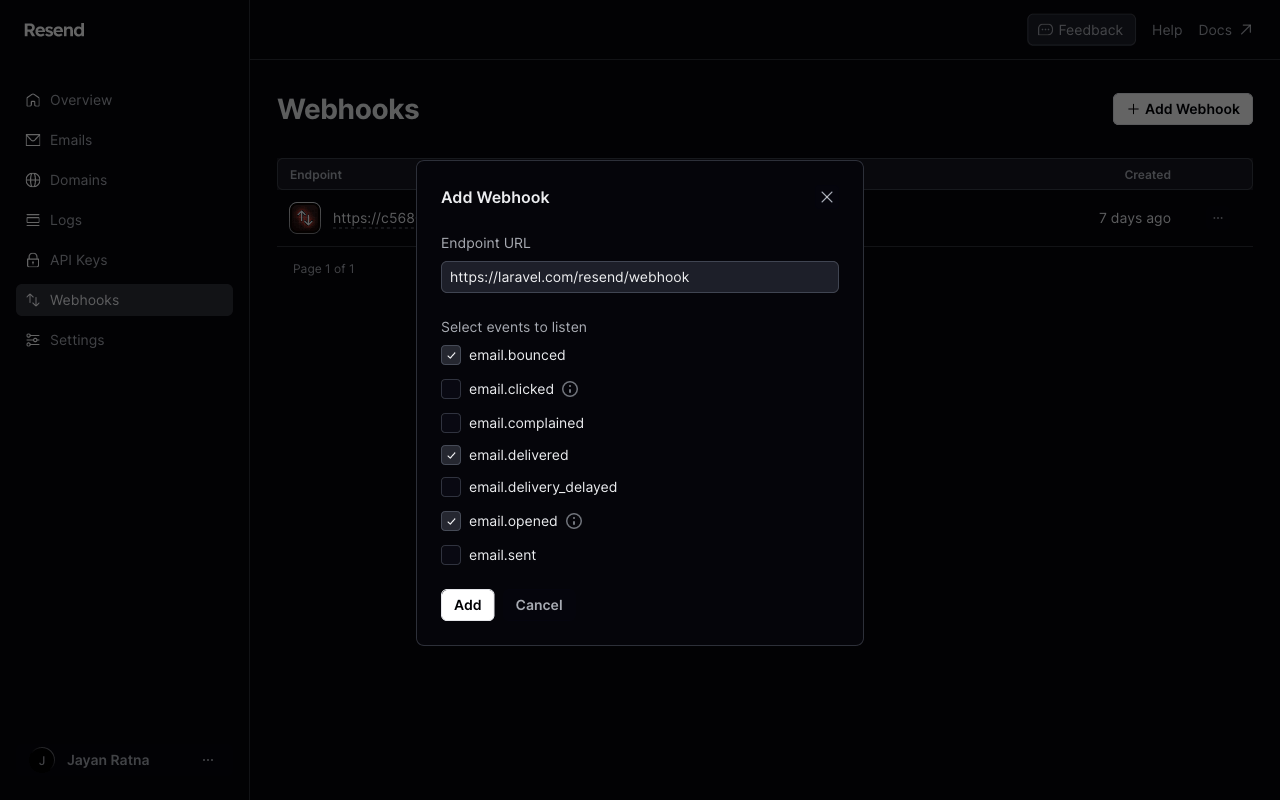
By default, Resend for Laravel includes a webhook controller to respond to the
/resend/webhookURL path. The controller will dispatch a Laravel event that corresponds to a Resend event. For example, anemail.deliveredevent type will send anEmailDeliveredLaravel event.Register the webhook endpoint
Register your publicly accessible HTTPS URL in the Resend dashboard.
CSRF protection
Webhook requests from Resend need to bypass Laravel's CSRF protection. Be sure to list the URI as an exception in your application's
App\Http\Middleware\VerifyCsrfTokenmiddleware or list the route outside of the web middleware group:PHP protected $except = [ 'resend/*', ];Verifying webhook signatures
To enable webhook verification, ensure that the
RESEND_WEBHOOK_SECRETenvironment variable is set in your application's.envfile. The Signing secret can be retrieved from your Resend dashboard.