Create a receiving Webhook
Configure Webhook
Section titled “Configure Webhook”Once you can receive emails, you can create a route to handle these emails in your application and configure an email.received webhook in your Dashboard.
Alternatively, you can use Resend's code tools to create your webhook from the Webhooks API or with a webhook CLI command.
To configure your webhook in the Dashboard:
Create a route to receive emails.
In your application, create a new route that can accept
POSTrequests.Here's how you can implement this:
Next.js // app/api/events/route.ts import type { NextRequest } from 'next/server'; import { NextResponse } from 'next/server'; export const POST = async (request: NextRequest) => { const event = await request.json(); if (event.type === 'email.received') { return NextResponse.json(event); } return NextResponse.json({}); };Laravel // routes/api.php use Illuminate\Http\Request; use Illuminate\Support\Facades\Route; Route::post('/events', function (Request $request) { $event = $request->json()->all(); if ($event['type'] === 'email.received') { return response()->json($event); } return response()->json([]); });PHP // index.php header('Content-Type: application/json'); if ($_SERVER['REQUEST_METHOD'] !== 'POST') { http_response_code(405); echo json_encode(['error' => 'Method Not Allowed']); exit; } $body = file_get_contents('php://input'); $event = json_decode($body, true); if (json_last_error() !== JSON_ERROR_NONE) { http_response_code(400); echo json_encode(['error' => 'Invalid JSON']); exit; } if ($event['type'] === 'email.received') { echo json_encode($event); exit; } echo json_encode([]);Rust #[derive(Serialize)] struct Empty {} async fn example(Json(event): Json<resend_rs::events::EmailEvent>) -> Response { if matches!( event.r#type, resend_rs::events::EmailEventType::EmailReceived ) { Json(event).into_response() } else { Json(Empty {}).into_response() } }Once you receive the email event, you can process the email body and attachments. You can also implement webhook request verification to secure your webhook endpoint.
Go to the Webhooks page in your Resend Dashboard
Click Add Webhook.
Enter the URL of the route you created for your webhook endpoint.
Select the event type `email.received`.
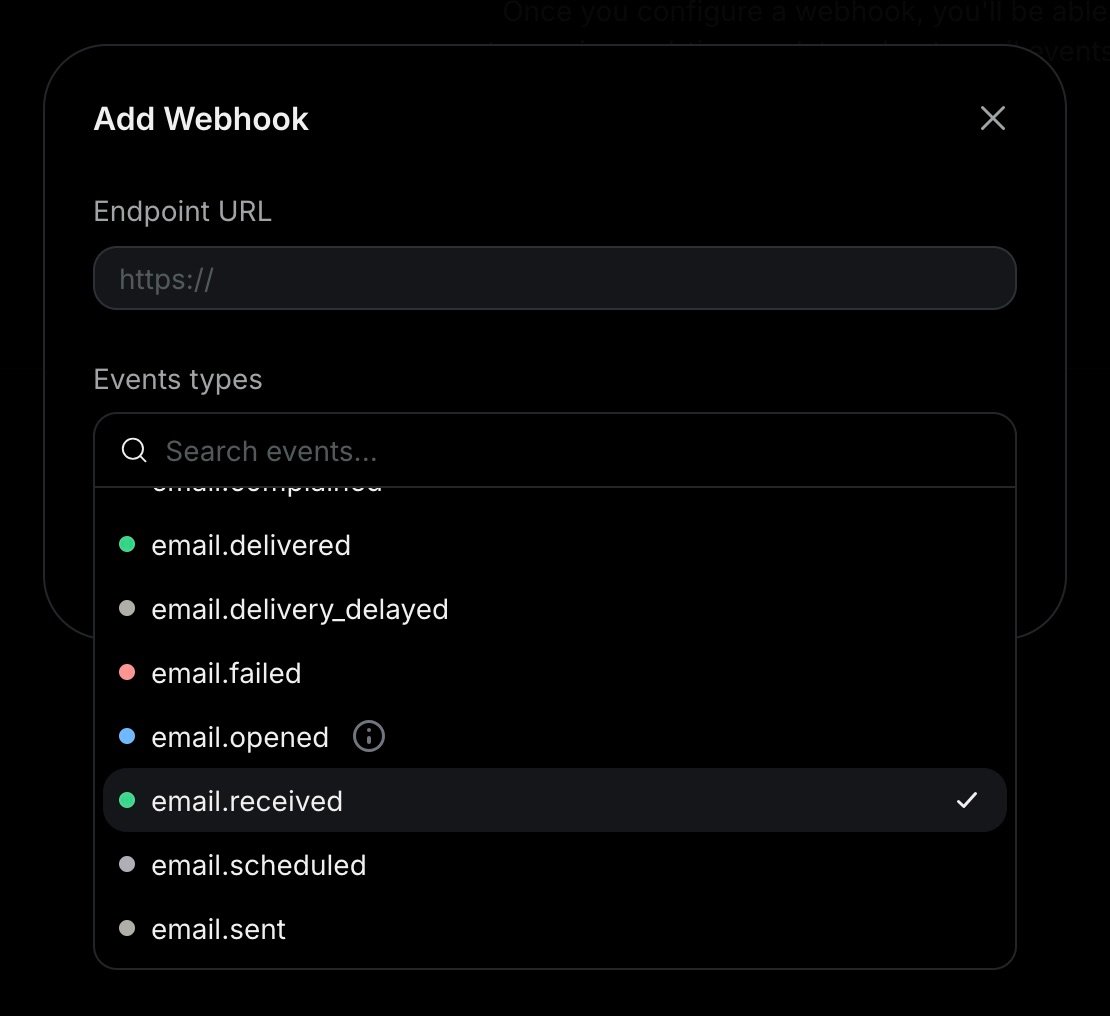
Click Add.
Once you receive an email event, you can process the email body and attachments from the webhook payload.
{
  "type": "email.received",
  "created_at": "2026-02-22T23:41:12.126Z",
  "data": {
    "email_id": "56761188-7520-42d8-8898-ff6fc54ce618",
    "created_at": "2026-02-22T23:41:11.894Z",
    "from": "onboarding@resend.dev",
    "to": ["delivered@resend.dev"],
    "bcc": [],
    "cc": [],
    "received_for": ["forwarded@example.com"],
    "message_id": "<111-222-333@email.example.com>",
    "subject": "Sending this example",
    "attachments": [
      {
        "id": "2a0c9ce0-3112-4728-976e-47ddcd16a318",
        "filename": "avatar.png",
        "content_type": "image/png",
        "content_disposition": "inline",
        "content_id": "img001"
      }
    ]
  }
}API Reference
Section titled “API Reference”For complete API documentation, see the Webhooks API reference.