Send emails using Customer.io with SMTP
Prerequisites
Section titled “Prerequisites”Before you start, you'll need:
- A Resend API key
- A verified domain
Get the Resend SMTP credentials
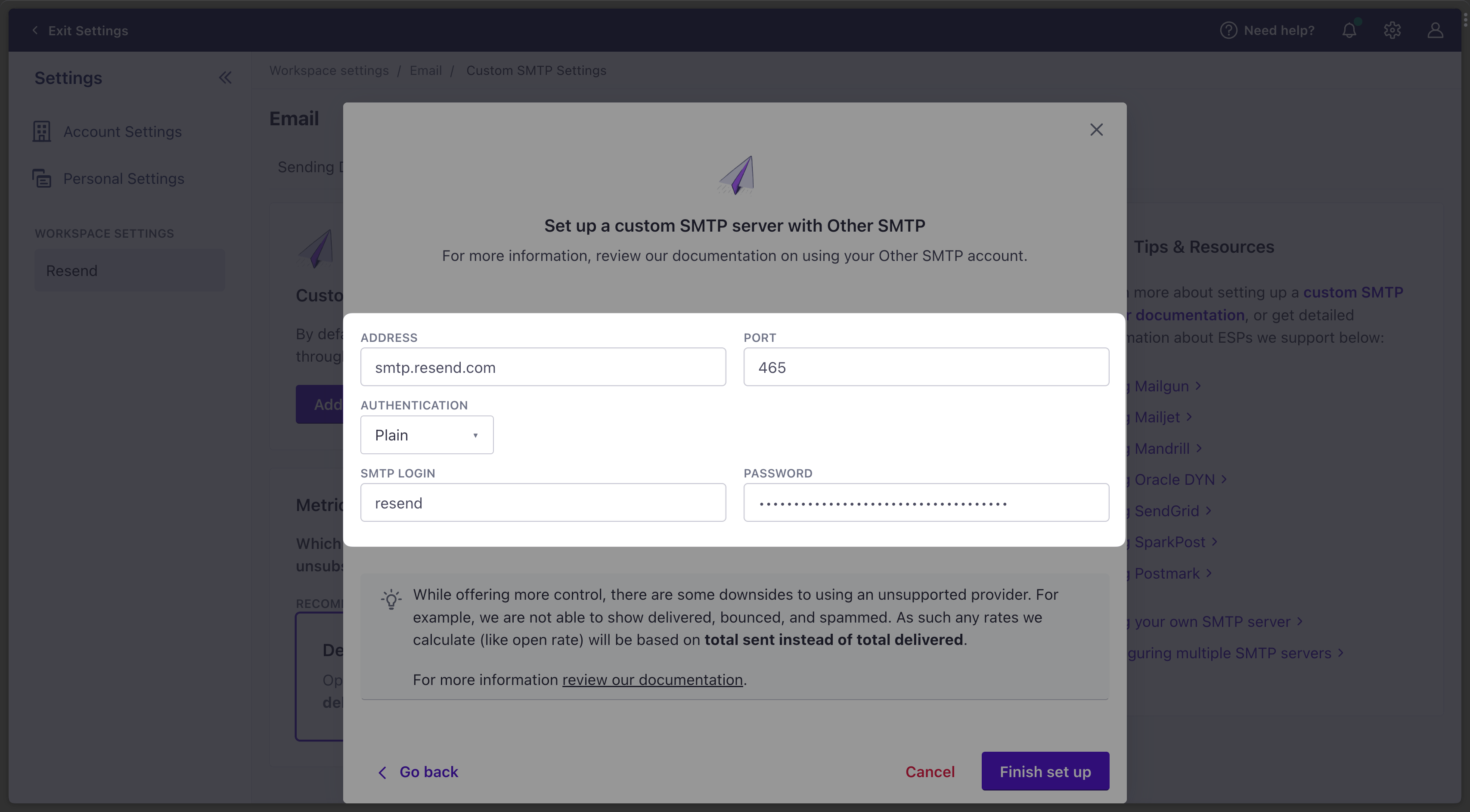
When configuring your SMTP integration, you'll need to use the following credentials:
- Host:
smtp.resend.com - Port:
465 - Username:
resend - Password:
YOUR_API_KEY
- Host:
Integrate with Customer.io SMTP
After logging into your Customer.io account, you'll need to enable the SMTP integration.
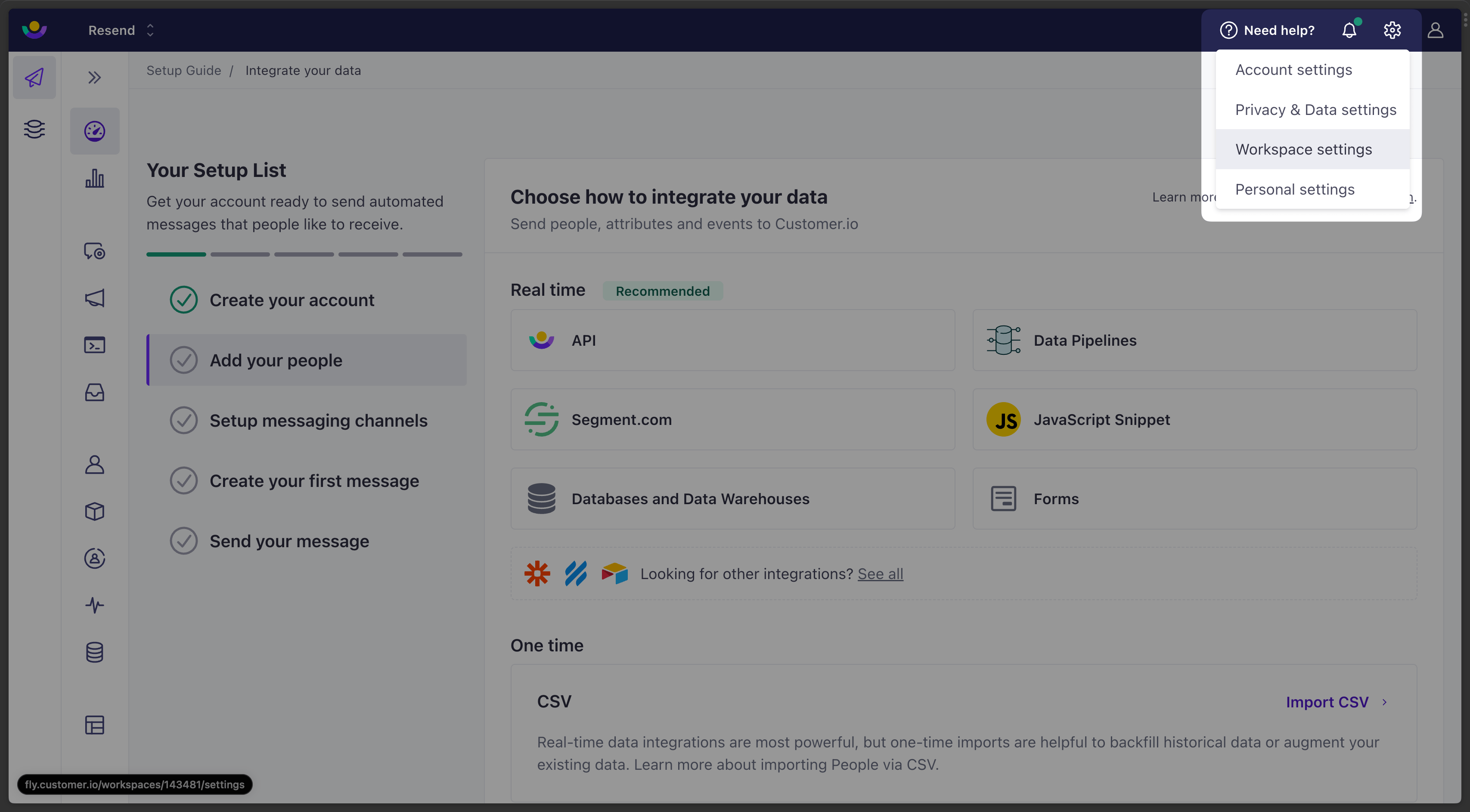
- Go to Settings > Workspace Settings.
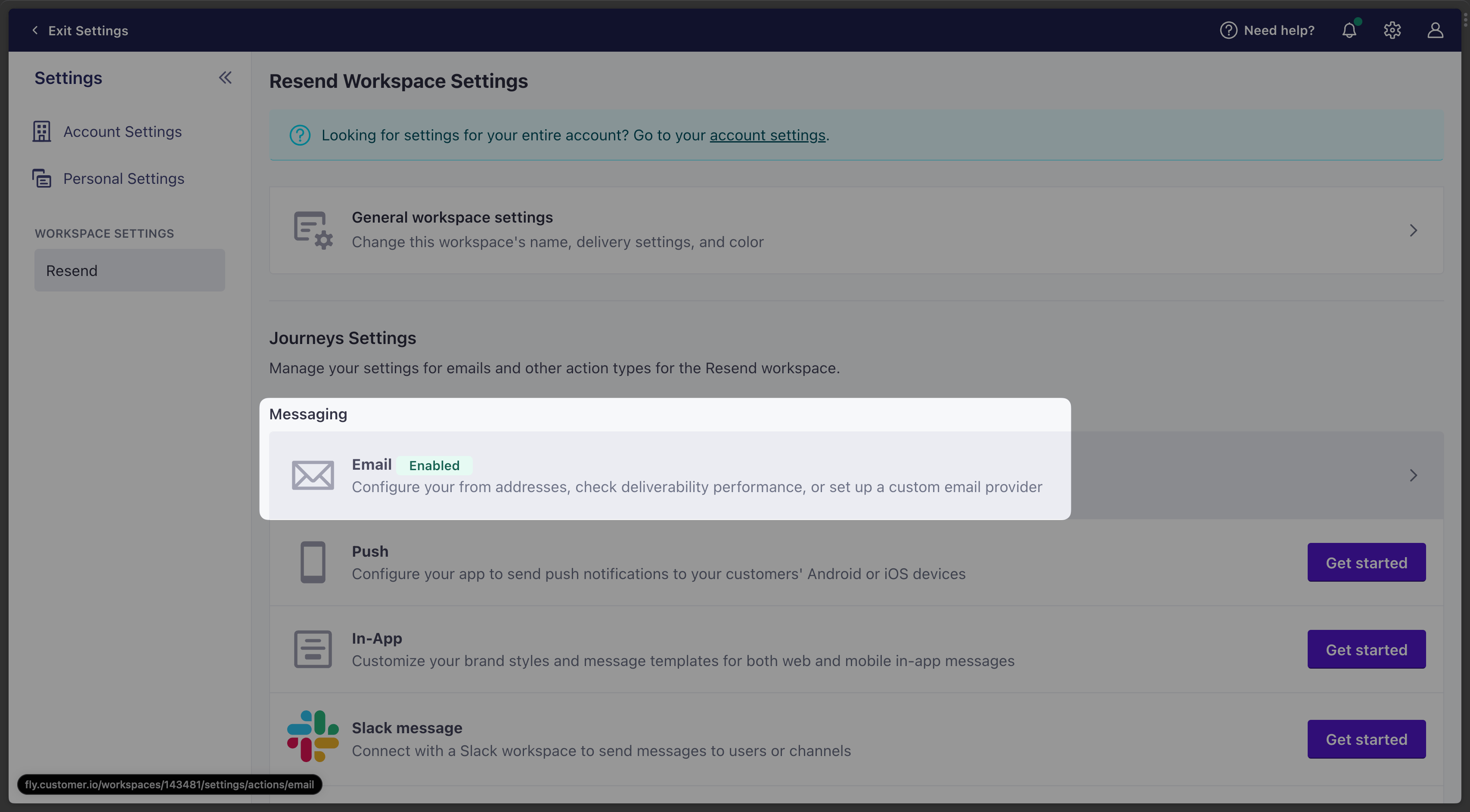
- Go to the Messaging tab and select Email.
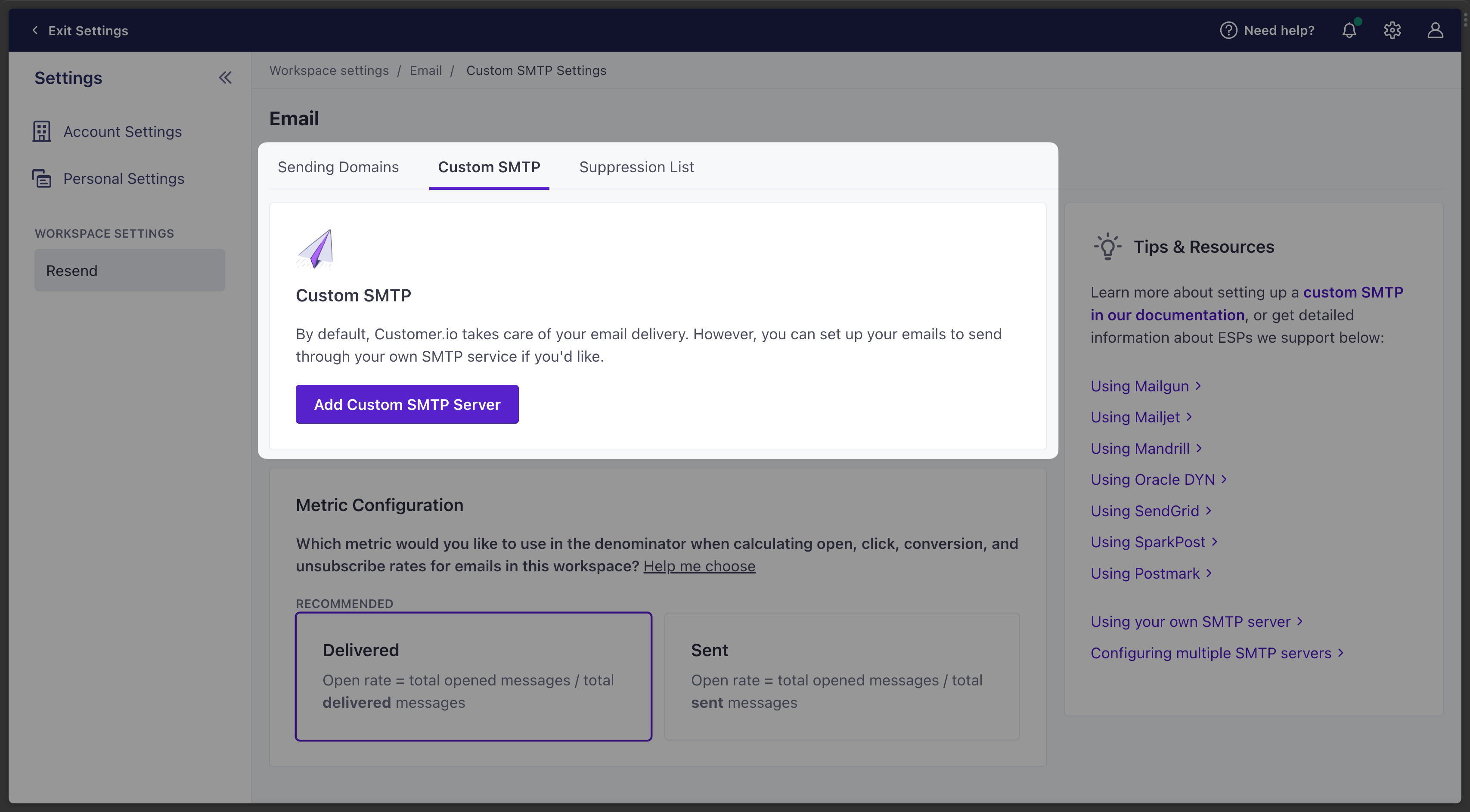
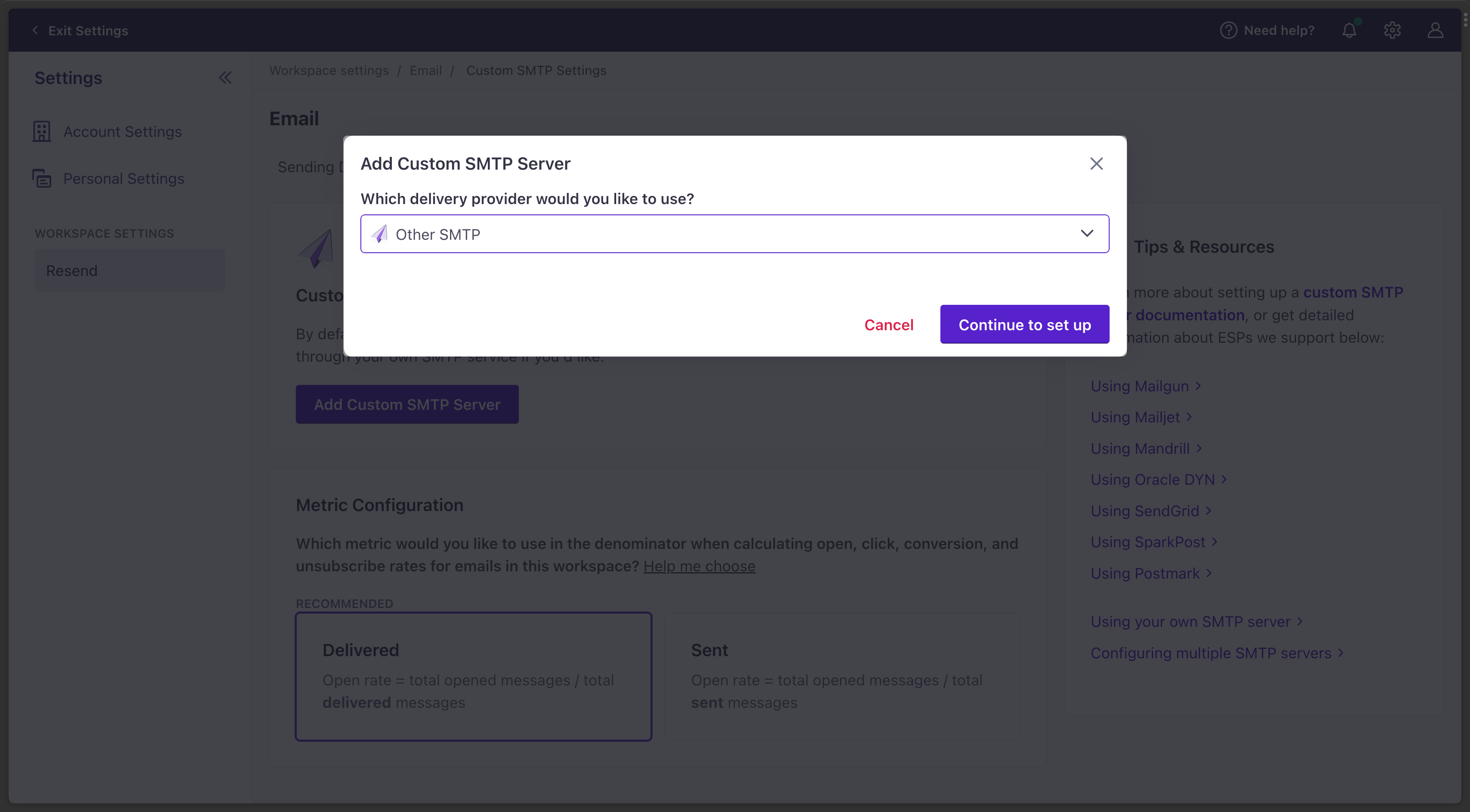
- Select the Custom SMTP tab and click Add Custom SMTP Server.
- Select Other SMTP and click Continue to set up.
- Copy-and-paste the SMTP credentials from Resend to Customer.io.