Add to Segment
This step adds the current contact to a specified Segment when reached in the Automation flow.
Common use cases:
- Cohorts: Add contacts to a cohort segment after a specific event.
- Lifecycle: Segment contacts as they progress through onboarding.
- Engagement: Group contacts who completed a specific action.
How it works
Section titled “How it works”Define a Add to segment step and select the segment from the dropdown.
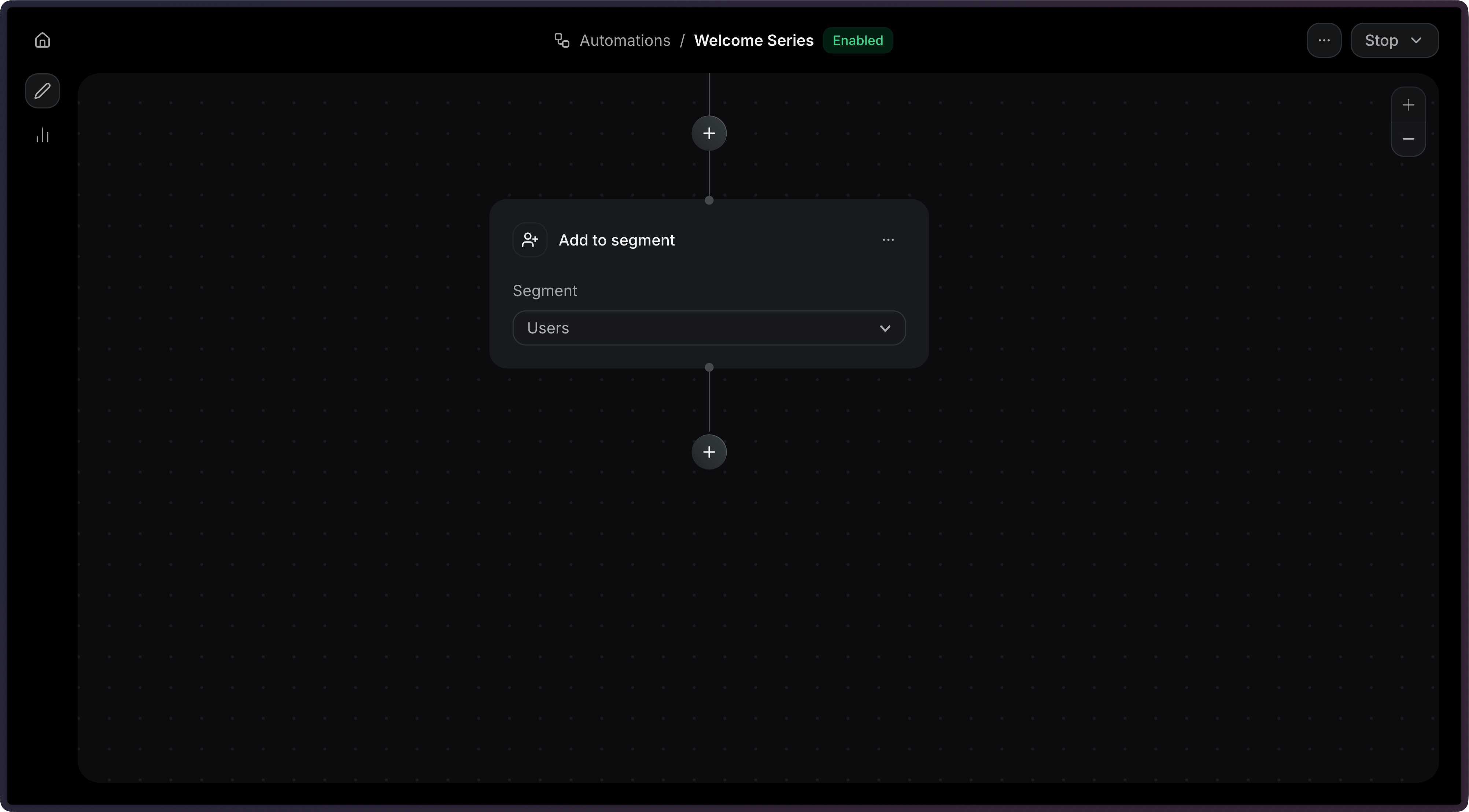
The add_to_segment step accepts a single segment_id field.
import { Resend } from 'resend';const resend = new Resend('re_xxxxxxxxx');const { data, error } = await resend.automations.create({ name: 'Tag VIP Users', steps: [ { key: 'start', type: 'trigger', config: { eventName: 'purchase.completed' }, }, { key: 'vip_users', type: 'add_to_segment', config: { segmentId: '83a1e324-26dc-47eb-9b28-ba8b6d1fe808', }, }, ], connections: [{ from: 'start', to: 'vip_users', type: 'default' }],});$resend = Resend::client('re_xxxxxxxxx');$resend->automations->create([ 'name' => 'Tag VIP Users', 'steps' => [ [ 'key' => 'start', 'type' => 'trigger', 'config' => ['event_name' => 'purchase.completed'], ], [ 'key' => 'vip_users', 'type' => 'add_to_segment', 'config' => [ 'segment_id' => '83a1e324-26dc-47eb-9b28-ba8b6d1fe808', ], ], ], 'connections' => [['from' => 'start', 'to' => 'vip_users', 'type' => 'default']],]);import resendresend.api_key = "re_xxxxxxxxx"params: resend.Automations.CreateParams = { "name": "Tag VIP Users", "steps": [ { "key": "start", "type": "trigger", "config": {"event_name": "purchase.completed"}, }, { "key": "vip_users", "type": "add_to_segment", "config": { "segment_id": "83a1e324-26dc-47eb-9b28-ba8b6d1fe808", }, }, ], "connections": [{"from": "start", "to": "vip_users", "type": "default"}],}resend.Automations.create(params)require "resend"Resend.api_key = "re_xxxxxxxxx"params = { name: "Tag VIP Users", steps: [ { key: "start", type: "trigger", config: { event_name: "purchase.completed" }, }, { key: "vip_users", type: "add_to_segment", config: { segment_id: "83a1e324-26dc-47eb-9b28-ba8b6d1fe808", }, }, ], connections: [{ from: "start", to: "vip_users", type: "default" }],}Resend::Automations.create(params)package mainimport "github.com/resend/resend-go/v4"func main() { client := resend.NewClient("re_xxxxxxxxx") params := &resend.CreateAutomationRequest{ Name: "Tag VIP Users", Steps: []resend.AutomationStep{ { Key: "start", Type: resend.AutomationStepTypeTrigger, Config: map[string]any{ "event_name": "purchase.completed", }, }, { Key: "vip_users", Type: resend.AutomationStepTypeAddToSegment, Config: map[string]any{ "segment_id": "83a1e324-26dc-47eb-9b28-ba8b6d1fe808", }, }, }, Connections: []resend.AutomationConnection{ {From: "start", To: "vip_users", Type: resend.AutomationConnectionTypeDefault}, }, } client.Automations.Create(params)}use resend_rs::{ types::{ AddToSegmentStepConfig, AutomationStatus, Connection, ConnectionType, CreateAutomationOptions, Step, TriggerStepConfig, }, Resend, Result,};#[tokio::main]async fn main() -> Result<()> { let resend = Resend::new("re_xxxxxxxxx"); let opts = CreateAutomationOptions { name: "Tag VIP Users".to_owned(), steps: vec![ Step::Trigger { key: "start".to_owned(), config: TriggerStepConfig { event_name: "purchase.completed".to_owned(), }, }, Step::AddToSegment { key: "vip_users".to_owned(), config: AddToSegmentStepConfig { segment_id: "83a1e324-26dc-47eb-9b28-ba8b6d1fe808".to_owned(), }, }, ], connections: vec![Connection::new("start", "vip_users").with_type(ConnectionType::Default)], status: AutomationStatus::Disabled, }; let _automation = resend.automations.create(opts).await?; Ok(())}import com.resend.*;import com.resend.core.exception.ResendException;import com.resend.services.automations.model.AutomationConnection;import com.resend.services.automations.model.AutomationStep;import com.resend.services.automations.model.ConnectionType;import com.resend.services.automations.model.CreateAutomationOptions;import com.resend.services.automations.model.CreateAutomationResponseSuccess;public class Main { public static void main(String[] args) throws ResendException { Resend resend = new Resend("re_xxxxxxxxx"); CreateAutomationOptions options = CreateAutomationOptions.builder() .name("Tag VIP Users") .steps( AutomationStep.trigger("start") .eventName("purchase.completed") .build(), AutomationStep.addToSegment("vip_users") .segmentId("83a1e324-26dc-47eb-9b28-ba8b6d1fe808") .build() ) .connections( AutomationConnection.builder() .from("start") .to("vip_users") .type(ConnectionType.DEFAULT) .build() ) .build(); CreateAutomationResponseSuccess data = resend.automations().create(options); }}using Resend;using System.Text.Json;IResend resend = ResendClient.Create( "re_xxxxxxxxx" );var startConfig = JsonSerializer.SerializeToElement( new { event_name = "purchase.completed" } );var segmentConfig = JsonSerializer.SerializeToElement( new { segment_id = "83a1e324-26dc-47eb-9b28-ba8b6d1fe808" } );var resp = await resend.AutomationCreateAsync( new AutomationCreateData(){ Name = "Tag VIP Users", Steps = new List<AutomationStepData> { new AutomationStepData { Ref = "start", Type = "trigger", Config = startConfig }, new AutomationStepData { Ref = "vip_users", Type = "add_to_segment", Config = segmentConfig }, }, Connections = new List<AutomationEdge> { new AutomationEdge { From = "start", To = "vip_users", EdgeType = "default" }, },} );curl -X POST 'https://api.resend.com/automations' \ -H 'Authorization: Bearer re_xxxxxxxxx' \ -H 'Content-Type: application/json' \ -d '{ "name": "Tag VIP Users", "steps": [{ "key": "start", "type": "trigger", "config": { "event_name": "purchase.completed" } }, { "key": "vip_users", "type": "add_to_segment", "config": { "segment_id": "83a1e324-26dc-47eb-9b28-ba8b6d1fe808" } }], "connections": [ { "from": "start", "to": "vip_users", "type": "default" } ]}'resend automations create --name "Tag VIP Users" --file ./automation.jsonConfiguration
Section titled “Configuration”config.segment_id(string, required) — The ID of the segment to add the contact to.
{
  "key": "add_to_vip",
  "type": "add_to_segment",
  "config": {
    "segment_id": "83a1e324-26dc-47eb-9b28-ba8b6d1fe808"
  }
}