Configure a custom Return Path
By default, Resend uses the send subdomain for the Return-Path address.
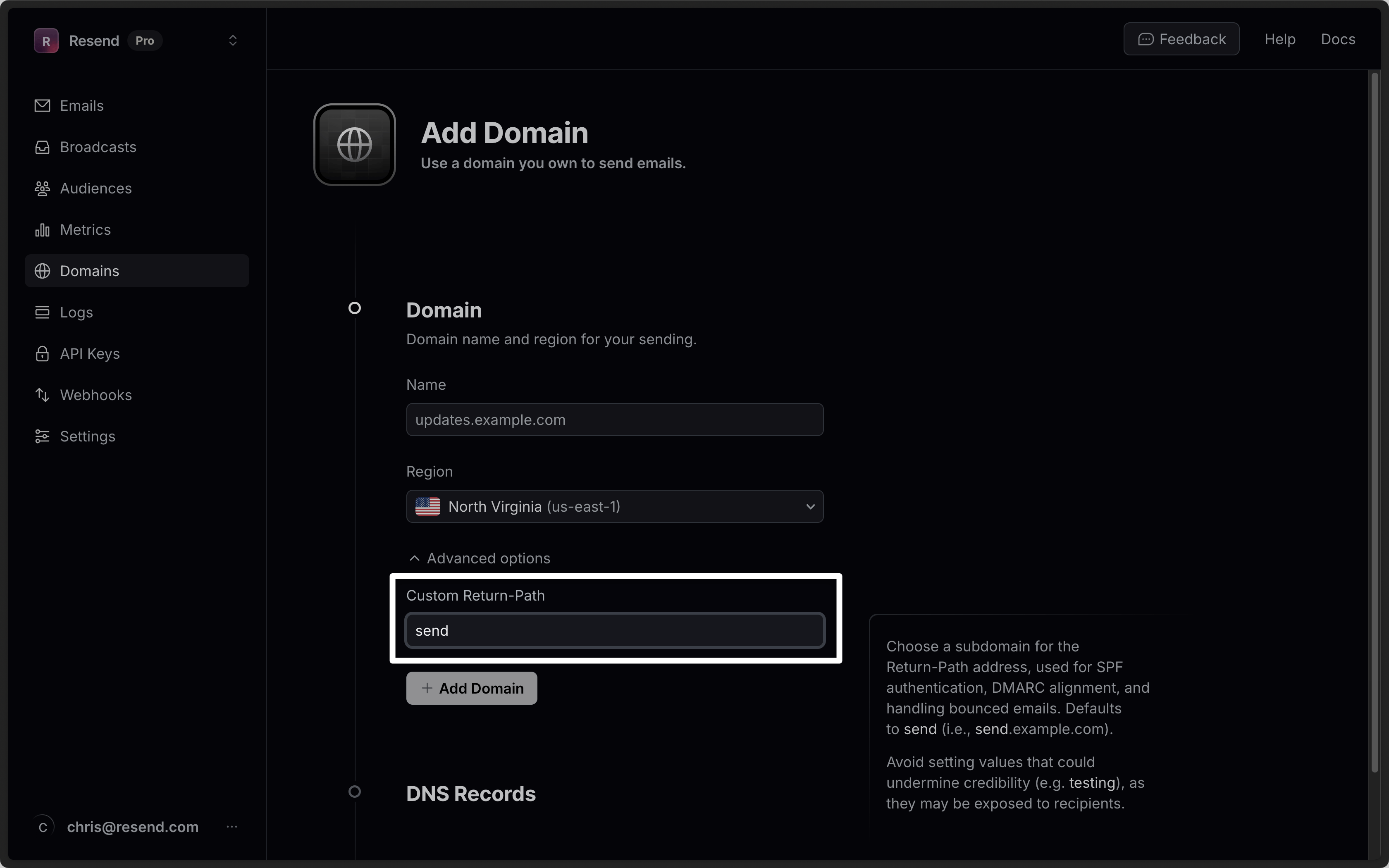
You can provide a custom Return-Path address when you add a new domain in the Dashboard under Advanced options, or by setting the optional custom_return_path parameter when creating a domain via the API or with the domains create CLI command.
For the API, optionally pass the custom return path parameter.
import { Resend } from 'resend';

const resend = new Resend('re_xxxxxxxxx');

resend.domains.create({ name: 'example.com', customReturnPath: 'outbound' });$resend = Resend::client('re_xxxxxxxxx');
$resend->domains->create([
'name' => 'example.com',
'custom_return_path' => 'outbound'
]);import resend
resend.api_key = "re_xxxxxxxxx"
params: resend.Domains.CreateParams = {
"name": "example.com",
"custom_return_path": "outbound"
}
resend.Domains.create(params)require "resend"
Resend.api_key = "re_xxxxxxxxx"
params = {
name: "example.com",
custom_return_path: "outbound"
}
domain = Resend::Domains.create(params)
puts domainpackage main
import "github.com/resend/resend-go/v4"
func main() {
client := resend.NewClient("re_xxxxxxxxx")
params := &resend.CreateDomainRequest{
Name: "example.com",
CustomReturnPath: "outbound",
}
client.Domains.Create(params)
}use resend_rs::{types::CreateDomainOptions, Resend, Result};
#[tokio::main]
async fn main() -> Result<()> {
let resend = Resend::new("re_xxxxxxxxx");
let _domain = resend
.domains
.create(CreateDomainOptions::new("example.com").with_custom_return_path("outbound"))
.await?;
Ok(())
}import com.resend.*;
import com.resend.core.exception.ResendException;
import com.resend.services.domains.model.CreateDomainOptions;
import com.resend.services.domains.model.CreateDomainResponse;
public class Main {
public static void main(String[] args) throws ResendException {
Resend resend = new Resend("re_xxxxxxxxx");
CreateDomainOptions params = CreateDomainOptions
.builder()
.name("example.com")
.customReturnPath("outbound")
.build();
CreateDomainResponse domain = resend.domains().create(params);
}
}using Resend;
IResend resend = ResendClient.Create( "re_xxxxxxxxx" ); // Or from DI
var resp = await resend.DomainAddAsync( new DomainAddData {
DomainName = "example.com",
CustomReturnPath = "outbound"
} );
Console.WriteLine( "Domain Id={0}", resp.Content.Id );curl -X POST 'https://api.resend.com/domains' \
-H 'Authorization: Bearer re_xxxxxxxxx' \
-H 'Content-Type: application/json' \
-d $'{
"name": "example.com",
"custom_return_path": "outbound"
}'Custom return paths must adhere to the following rules:
- Must be 63 characters or less.
- Must start with a letter, and end with a letter or number.
- Must contain only letters, numbers, and hyphens.
Avoid setting values that could undermine credibility (e.g. testing), as they may be exposed to recipients in some email clients.